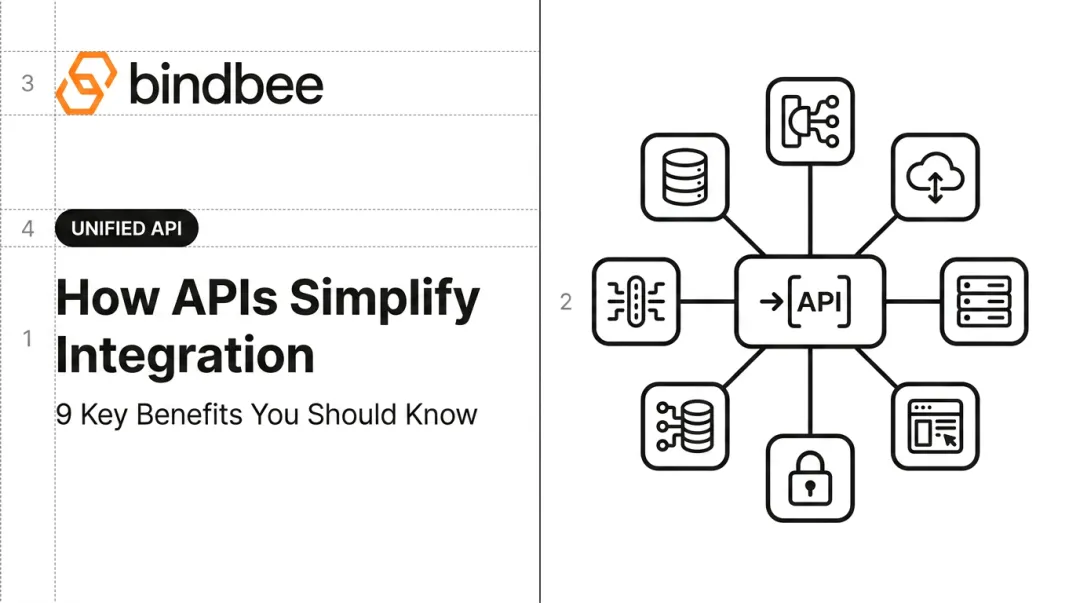
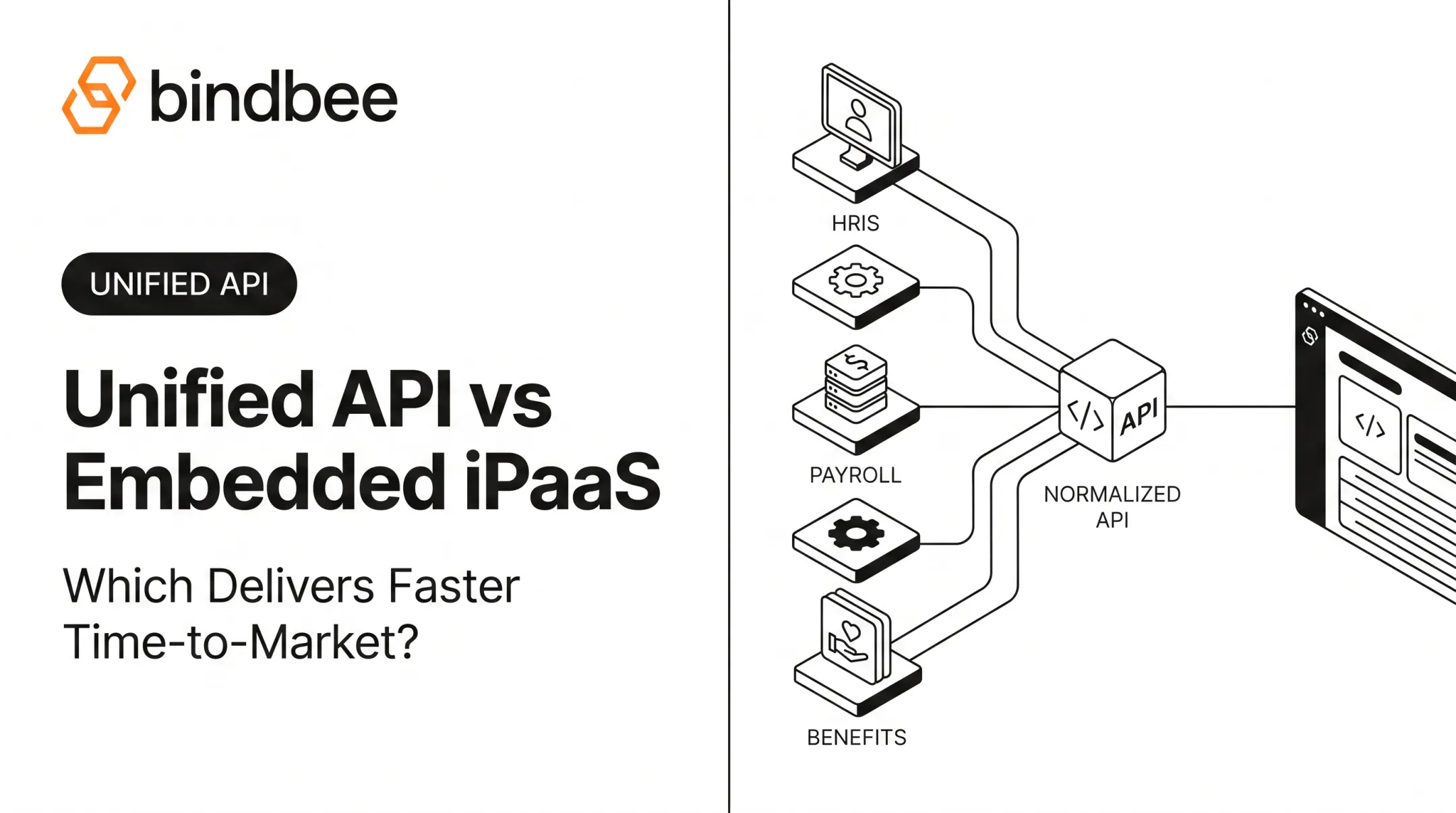
Supporting one HRIS integration is a project. Supporting Workday, ADP, UKG, BambooHR, Paylocity, Rippling, and whatever system the next enterprise customer brings with them becomes infrastructure. Buyers increasingly expect seamless HR software integration before they sign.
That distinction matters because the engineering work does not end when the first API call succeeds. Every native integration comes with its own authentication flow, schema, permissions, pagination, errors, provider changes, customer configuration, and long-term maintenance. Add enough of them and your integration roadmap starts competing with your actual product roadmap.
A unified API changes where that work happens. Instead of rebuilding provider-specific connectivity and normalization for each system, your application integrates with one abstraction layer that handles much of that complexity underneath.
It does not make integration engineering disappear. It removes a large amount of the repeated work.
Key Takeaways
Unified APIs reduce repeated provider-specific development rather than eliminating integration work altogether. Your team still owns product logic, customer experience, and how integrated data is used.
The value increases as integration coverage grows. Building two native connectors may be manageable; maintaining dozens creates a fundamentally different engineering problem.
Normalization is often more valuable than connectivity itself. One connection is not enough if every underlying system still produces a different data structure.
Native integrations still make sense for highly specialized provider-specific functionality. A unified API is strongest when many systems need to support a common set of product workflows.
For HR Tech and Benefits SaaS, depth matters as much as connector count. Employee, payroll, dependent, benefits, deduction, and custom-field data all need to survive the abstraction layer.
What Is a Unified API?
A unified API provides a standardized interface for accessing similar data or functionality across multiple underlying software systems.
Instead of your application integrating independently with Provider A, Provider B, and Provider C, each source is mapped behind a common integration layer:
Provider APIs and files → connector layer → normalized data model → unified API → your application
For an HR Tech product, that might mean working with one Employee model rather than writing separate application logic for the way Workday, ADP, BambooHR, UKG, and other systems each represent employee data.
The same principle can apply to compensation, payroll, time off, benefits, dependents, or other employment data when those models are supported.
If you need the architectural fundamentals first, Bindbee's guide to what a unified API is covers the concept in more depth. The more practical question here is what changes for your engineering team once that abstraction layer exists.
What a Unified API Actually Abstracts
The useful part is not simply having "one API."
Native providers can differ across:
- authentication and authorization;
- API endpoints;
- data models;
- field names and values;
- pagination;
- permissions and scopes;
- rate limits;
- error structures;
- webhook behavior;
- file-based versus API-based connectivity; and
- write capabilities.
For example, OAuth itself provides a standardized authorization framework, but each provider can still expose different scopes, authorization requirements, and API resources. The underlying standard does not make two vendors' implementations identical. The OAuth 2.0 specification defines the authorization framework; your integration still has to handle how each provider implements it.
A unified API moves much of that provider-specific work into a connector and normalization layer.
Unified API vs Native Integrations: What Actually Changes?
The difference is easiest to see by looking at who owns each part of the integration stack.
| Area | Native Integrations | Unified API |
|---|---|---|
| Authentication | Implemented separately for each provider | Provider-specific logic handled through the integration layer |
| Data models | Each provider returns its own schema | Common objects are normalized |
| Connector development | Separate build per provider | Product integrates with one common API |
| Provider changes | Your engineering team monitors and adapts | Unified API provider maintains underlying connectors |
| Adding supported systems | Usually another engineering project | Existing connectors can be activated through the same integration |
| Application logic | Often contains provider-specific conditions | Can largely target a shared schema |
| Provider-specific features | Full access to whatever the native API exposes | Limited to what the unified layer supports |
| Operational dependency | Primarily your internal team | Shared between your application and unified API provider |
This distinction is important because "one integration" is sometimes interpreted too literally.
A unified API does not mean your product suddenly requires no integration engineering.
Your team still needs to decide:
- which data your product needs;
- what happens when records change;
- how your application handles errors;
- how user-facing connection flows work;
- what business logic runs against the data;
- how asynchronous operations are handled; and
- what happens when an edge case falls outside the normalized model.
What changes is how much provider-specific plumbing you need to own.
Where Unified APIs Reduce Development Effort
The development advantage comes from several layers of repeated work being consolidated.
1. Authentication and Connection Setup
Every native integration starts with the same broad question: How does this provider let customers connect?
The answer varies.
One platform might support OAuth. Another may require API keys or tenant-specific credentials. Some enterprise systems require configuration work on the customer side before data can be accessed. File-based systems may use SFTP instead of a conventional REST API.
Build those connections yourself and each flow becomes part of your own application and support surface.
A unified integration platform can centralize much of this.
Bindbee, for example, uses Magic Link as a customer-facing connection experience. Instead of a Bindbee customer building separate authorization interfaces for every HR system, their end customer can select and connect the relevant system through a standardized flow.
There is an important distinction here:
Connecting an employer's HRIS through an existing connector can take minutes. Implementing a unified API into your own product is a larger engineering project.
Bindbee's current pricing and implementation guidance says most customers go live within one week, while enterprise customers with custom requirements typically complete onboarding in around two weeks.
That is a much more useful implementation benchmark than claiming an entire unified API deployment happens in ten minutes.
2. Data Normalization
Authentication gets you connected. Normalization is what keeps the rest of your product from becoming provider-specific.
Imagine three HR systems representing an employee differently:
- one calls a value
employment_status; - another nests it inside an employment object;
- another uses a different set of allowed values entirely.
Multiply that across compensation, managers, departments, dependents, benefits, deductions, time off, and custom fields.
Without normalization, application code starts accumulating branches:
If Workday, transform this. If ADP, look here. If UKG, translate this value first.
That logic grows with every connector.
A unified API maps common source-system concepts into a shared model so your application can work against a more consistent contract.
For benefits companies, this distinction becomes especially important. Generic employee records do not necessarily contain the depth required for enrollment or deduction workflows.
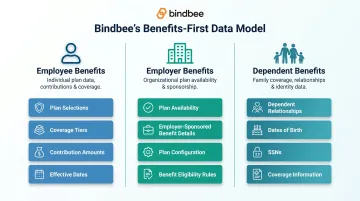
Bindbee's Employee Benefits infrastructure, for example, distinguishes Employee Benefits, Employer Benefits, and Dependent Benefits rather than trying to squeeze the entire benefits domain into a generic employee object.
3. Connector Maintenance
Native integrations create a long tail of work after launch.
Providers change authentication requirements. APIs evolve. Schemas gain or lose fields. Permissions change. Customer configurations expose edge cases you did not encounter during development.
If you built the integration, you own that surface.
With a unified API, responsibility for maintaining the underlying connectors shifts to the integration provider.
That does not make your own integration maintenance-free. Your team still owns the code that consumes the unified API, your product workflows, webhook handling, reconciliation, and product-specific errors.
But there is a meaningful difference between maintaining:
one integration with a unified platform
and maintaining:
one integration plus dozens of separate provider implementations underneath it.
That distinction becomes more valuable with every additional system you support.
4. Adding Integration Coverage
Consider what happens when sales brings engineering a new request:
"This customer uses a payroll system we don't support yet."
With a native strategy, that usually starts another discovery and build cycle:
Documentation → authentication → data mapping → implementation → testing → customer setup → monitoring → maintenance
If the requested system already exists in your unified API provider's catalog, the work is different. Your application already knows how to consume the normalized API. The next task is primarily enabling, configuring, and validating the connector for the customer's use case.
There can still be exceptions. The required object may not be supported. A write operation might not exist. The customer may rely on a custom field. The provider may require special configuration.
But the default stops being "build another integration from scratch."
How Much Faster Can a Unified API Be?
There is no responsible universal answer.
Implementation time depends on the provider, customer configuration, required data models, whether writes are involved, security review, internal testing, and how deeply the integration touches the product.
The better evidence comes from specific implementations.
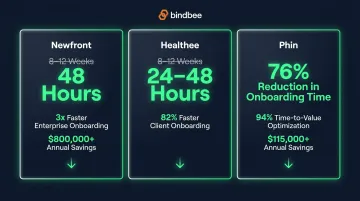
Bindbee publishes several customer outcomes:
| Customer | Published Outcome |
|---|---|
| Newfront | Integration deployment reduced from 8-12 weeks to 48 hours; 90% reduction in engineering time on integration development |
| Healthee | Deployment reduced from 8-12 weeks to 24-48 hours; 82% faster client onboarding |
| Phin | 76% reduction in onboarding time and $115,000+ in reported annual development/resource savings |
| Papershift | Integration deployment reduced from as much as 90 days to under 24 hours |
These are individual customer outcomes, not guarantees for every unified API implementation.
What they demonstrate is the mechanism: once repeated provider-specific work moves behind a common integration layer, customer onboarding no longer has to trigger the same integration build cycle every time.
How Unified APIs Reduce Ongoing Engineering Costs
The first build is only one part of integration cost.
Every connector you own expands the surface your team has to operate:
- authentication logic;
- mappings;
- test fixtures;
- error handling;
- monitoring;
- customer setup documentation;
- debugging;
- API-version changes;
- provider support escalations; and
- regression testing.
Ten integrations do not necessarily cost exactly ten times as much as one. But the number of external dependencies your team must understand and maintain keeps growing.
A unified API consolidates much of that provider-specific work into one vendor relationship and one application-facing interface.
The impact shows up in Bindbee's published case studies as engineering capacity as well as deployment time. Newfront, for example, reports $800,000+ in annual development-resource savings alongside its reduction in integration engineering time. Healthee reports $150,000+ in annual development and technical-resource savings.
Those numbers should be read as outcomes for those companies, not a calculator for what every integration will save.
The broader point is more durable: engineering time no longer has to scale linearly with every provider-specific connector your product supports.
When Does a Unified API Deliver the Most Value?
Not every company needs an abstraction layer. The value becomes much clearer under a few conditions.
When Integration Breadth Affects Customer Acquisition
If almost every enterprise sales conversation includes:
"Do you integrate with our HRIS?"
integration coverage is no longer an engineering detail. It is part of product eligibility.
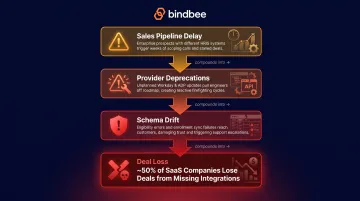
A missing integration does not automatically mean a lost deal, but it can introduce implementation work, extend onboarding, or prevent the product from meeting a buyer's technical requirements.
That changes the value of having a large connector catalog already available.
When Integrations Are Consuming Product Roadmap Capacity
The strongest signal is not the raw number of integrations you have.
It is what your engineers spend their time doing.
If core product engineers are repeatedly pulled into:
- provider authentication;
- schema mapping;
- SFTP configuration;
- connector bugs;
- customer-specific data issues; or
- third-party API maintenance,
integration infrastructure is already competing with product development.
A unified API can move a significant portion of that work out of the core application team.
When Your Customers Use a Fragmented Technology Stack
This is particularly common in employment technology.
Bindbee's current integration catalog includes systems connected through APIs, SFTP, or both. Providers such as ADP Workforce Now, Oracle HCM, Paychex, Paycom, Paylocity, and Rippling illustrate why "just integrate with the API" is not always a complete strategy.
For a product serving many employers, the integration layer may need to accommodate modern APIs and file-based workflows without exposing those differences throughout the product.
When Consistent Data Matters Downstream
Connector count is a weak metric if every integration still requires completely different application logic.
The more important question is:
Once the data arrives, does your product know what to do with it?
Normalized models matter when the same workflow needs to operate across many systems - whether that workflow is employee onboarding, benefits eligibility, payroll deductions, workforce analytics, or another employment-data use case.
When Native Integrations May Still Make More Sense
Unified APIs have a real tradeoff: abstraction.
They normalize what multiple systems have in common. That means highly provider-specific functionality may not always be available through the common model.
A native integration can make more sense when:
- your product only needs to support one or two providers;
- a particular provider is strategically dominant for your customers;
- you need specialized endpoints or objects not exposed through the unified API;
- the workflow depends heavily on provider-specific behavior;
- extremely customized interaction is part of your product differentiation; or
- the cost of another infrastructure vendor is not justified at your current scale.
There is also no rule saying the architecture has to be all-or-nothing.
A product can use a unified API for broad, standardized coverage and still build a selective native integration where a strategically important provider requires functionality outside the abstraction layer.
That is often more rational than insisting every connector follow the same build strategy.
Why HR Tech and Benefits Platforms Have a Different Unified API Problem
Employment data is not a single object.
A product may need:
- employees;
- employment records;
- company information;
- compensation;
- payroll runs;
- bank information;
- time off;
- timesheets;
- employee benefits;
- employer benefits;
- dependents;
- dependent benefits; and
- provider-specific custom fields.
Two platforms can therefore both claim to support "Workday integration" while exposing very different levels of usable data.
For benefits companies, this gets even more specific.
A product may need coverage tiers, contribution amounts, dependent relationships, effective dates, deduction information, or enrollment-related fields. Generic employee synchronization alone does not solve eligibility workflows or carrier submissions.
That is why a vertical unified API should be evaluated on model depth and connector depth, not merely the number of systems displayed on the website.
How Bindbee Approaches Unified Employment Data
Bindbee is built specifically around HRIS, payroll, ATS, and benefits connectivity rather than treating employment systems as one integration category among dozens.
The current platform provides 67+ integrations through a common integration layer, including widely used systems such as Workday, ADP Workforce Now, UKG Pro, BambooHR, Paylocity, Paychex, Rippling, SAP SuccessFactors, Greenhouse, and others.
The architecture focuses on three pieces.
First, connectivity. Bindbee supports API-based systems as well as SFTP-based integrations where that is how the source system or workflow operates.
Second, normalization. Employment data is mapped into common models rather than forcing the consuming application to understand every source schema.
Third, production operation. Bindbee provides capabilities such as custom fields, data scoping, webhooks, sync visibility, logs, error visibility, and customer-facing connection flows.
Custom fields are particularly relevant to the abstraction tradeoff. They allow data available from a third-party response to be mapped into Bindbee's unified models when a standard field is not enough for the customer's use case.
Bindbee also supports read-and-write capabilities across the platform, but exact operations depend on the underlying connector and model. "Read/write support" should not be interpreted as every supported system exposing every write operation.
For teams evaluating implementation effort, Bindbee currently says most customers go live within approximately one week, with custom enterprise implementations typically taking longer. The objective is not zero engineering. It is to stop rebuilding the provider layer every time integration coverage expands.
How to Evaluate a Unified API Before You Buy
A connector count alone tells you very little.
Before choosing a unified API, ask:
Does it support the systems your customers actually use? A catalog of 200 integrations is irrelevant if your five highest-priority platforms are missing.
Which data models are normalized? Check the objects your product genuinely depends on, not just "employee data."
How deep is each connector? A logo in the catalog does not mean every object from the native provider is supported.
What can be written back? Verify required write operations connector by connector.
How are custom fields handled? Normalization should not force you to discard customer-specific data your product needs.
How often is source data synchronized? Do not assume API means real-time. Bindbee, for example, documents a default third-party synchronization frequency of once every 24 hours, with frequency adjustable based on configuration and plan.
What do webhooks actually notify you about? Distinguish between an upstream source event and a notification generated after the integration platform processes or synchronizes data.
How are failures surfaced? Look for connector status, logs, errors, retries, and enough information for your team to resolve customer issues.
Who maintains provider-side changes? This is one of the core reasons to buy rather than build.
What happens when you need a connector outside the catalog? Understand the vendor's process and timeline for custom integrations.
Does the security model fit your customers? HR and benefits data can bring demanding security and compliance requirements.
How does pricing behave as you scale? Understand whether charges are based on connectors, active customer connections, API calls, sync volume, or another unit.
The right unified API is not the one that promises to make integration work disappear. It is the one that removes the repetitive parts without hiding the data, operations, and edge cases your product actually depends on. For HR Tech and Benefits SaaS teams, that means looking past connector counts and asking how well the platform handles employment data in production. Bindbee combines 67+ HRIS, payroll, ATS, and benefits integrations, normalized employment models, API and file-based connectivity, benefits-specific data depth, and connector maintenance behind one integration layer. If integrations are taking engineering time away from the product you actually sell, book a demo with Bindbee to see what moving that provider-specific work out of your roadmap would look like.
Frequently Asked Questions
What is a unified API?
A unified API is a single standardized interface that connects an application to multiple systems in the same software category.
The unified API provider handles provider-specific connectors and maps common data into normalized models, allowing the consuming application to work against one API rather than implementing every third-party system independently.
For a deeper explanation, see Bindbee's guide to unified APIs.
How is a unified API different from a native API integration?
A native integration connects your application directly to one provider's API. Your team implements that provider's authentication, endpoints, schemas, errors, permissions, and ongoing maintenance.
A unified API places an abstraction layer between your application and multiple providers. Your product integrates with the common interface while the unified API provider maintains the underlying connectors and normalization.
Does a unified API eliminate integration development?
No.
Your team still has to integrate the unified API into your application, design the product workflow, consume the data, process errors and webhooks, test the implementation, and account for product-specific edge cases.
What a unified API reduces is the need to repeat much of that provider-specific connector work for every additional supported system.
How long does it take to implement a unified API?
There is no universal deployment time. It depends on the data required, product architecture, required writes, customer configuration, security review, and implementation scope.
Bindbee currently states that most customers are live within one week, while enterprise implementations with custom requirements typically complete onboarding in approximately two weeks.
An individual end customer may be able to connect an already-supported HRIS much faster once the unified integration is implemented.
What are the disadvantages of a unified API?
The main tradeoff is abstraction.
A common data model may not expose every specialized feature or endpoint available in an individual provider's native API. Businesses also become dependent on another infrastructure vendor for connector availability, maintenance, security, uptime, and pricing.
The right evaluation therefore needs to look at connector depth, not just connector count.
Can a unified API support write operations?
Yes, unified APIs can support write operations, but availability depends on the platform and the underlying source integration.
Bindbee provides read-and-write capabilities across its platform, but the exact objects and operations supported vary by connector. A required write workflow should always be verified against the specific integration before implementation.
Is a unified API real-time?
Not automatically.
Using an API does not mean the source system continuously pushes every data change. Unified API platforms may synchronize underlying providers on schedules, offer configurable sync frequencies, and use webhooks to notify applications about completed syncs or supported events.
Evaluate the actual synchronization model against the freshness your product needs.
When should you build a native integration instead?
A native integration can be the better choice when your application needs highly specialized functionality from one provider, supports only a small number of systems, or relies on endpoints and behavior that a unified abstraction does not expose.
For companies that need broad standardized coverage, a unified API can handle the common integration layer while native integrations remain an option for exceptional workflows.