Introduction
Most companies don't have a software problem — they have a fragmentation problem. According to Okta's 2024 Businesses at Work report, the average company deploys 93 apps, each storing data in its own silo. Sales lives in the CRM. Payroll lives somewhere else. Benefits enrollment happens in yet another system. Nobody's talking to each other.
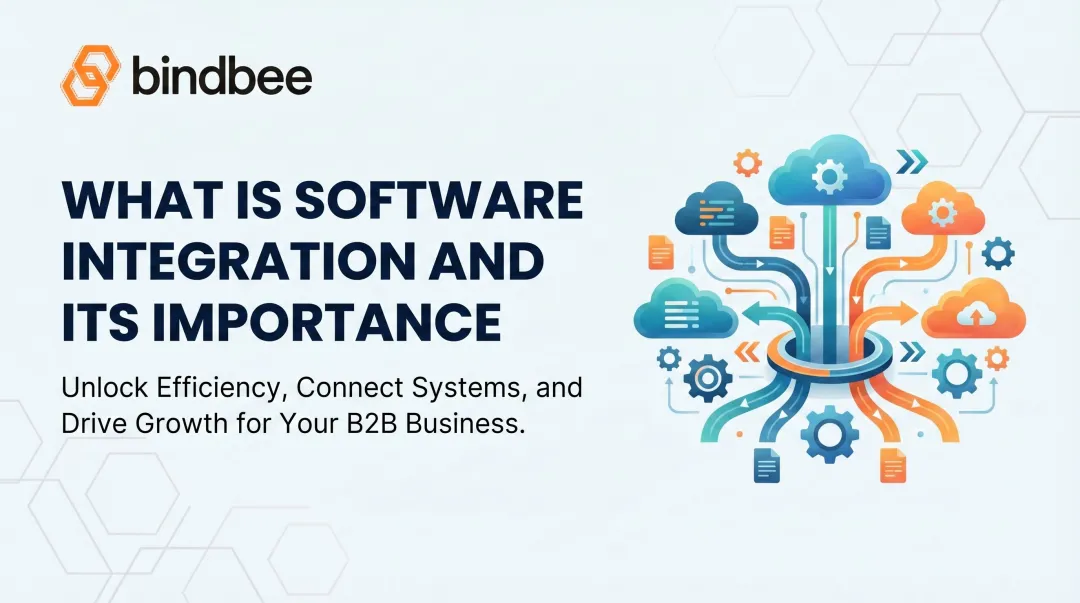
Software integration is the fix. It connects separate applications so data flows automatically between them — no manual exports, no copy-pasting, no reconciliation headaches.
This article breaks down what software integration actually is, the four main types, and real-world examples across industries. It also takes a closer look at why integration is especially high-stakes in HR Tech and benefits administration.
Key Takeaways
- Software integration connects applications to share data automatically, eliminating manual entry and reducing errors
- The four main types are vertical, horizontal (hub-and-spoke), point-to-point, and common data format (CDF) integration
- Real-world examples include CRM-marketing pipelines, e-commerce payment flows, and HR Tech system connections
- Benefits platforms require HRIS, payroll, and carrier integrations to maintain accurate, real-time employee data
What Is Software Integration?
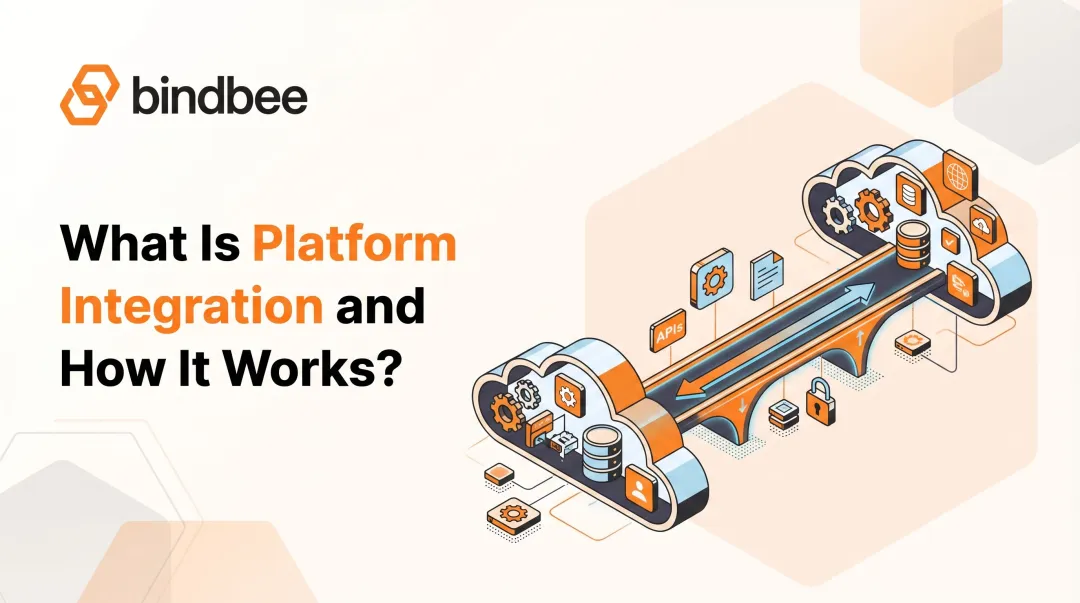
IBM defines application integration as the process of connecting different applications, systems, and subsystems to create connected processes and automated workflows. The mechanism varies — APIs, middleware, and integration platforms are all common — but the goal is the same: data flows automatically between systems instead of staying siloed in one.
Two distinct scopes matter here:
- Internal integrations connect tools a business uses in its own operations — think syncing your HRIS with your payroll platform so compensation changes don't require manual re-entry
- Customer-facing integrations connect a software product to the third-party apps its customers already use — think a benefits platform connecting to whichever HRIS each employer happens to run
Integrations are also either unidirectional (data flows one way) or bidirectional (data syncs in both directions). A CRM pushing new leads to a marketing automation platform is unidirectional. That same CRM also pulling back campaign engagement data to inform sales outreach — that's bidirectional. Sales reps see email open rates before a call. Enrollment triggers fire when eligibility data changes. That closed loop is where the real leverage is — and the examples below show what it looks like across different software categories.
What Are the Different Types of Software Integration?
Vertical Integration
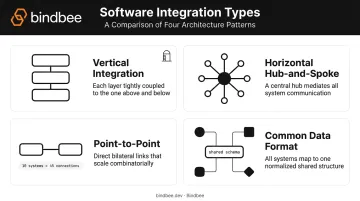
Vertical integration connects systems within the same functional area in a silo-like structure. A payroll platform talking directly to a benefits deduction system is a classic example. It's fast to set up and works well short-term — but becomes rigid as the organization adds new tools or outgrows the original scope.
Horizontal (Hub-and-Spoke) Integration
Multiple systems connect through a centralized platform — often called an enterprise service bus (ESB) or integration layer — that handles data routing and transformation. Instead of each system talking directly to every other system, they all speak to the hub.
This model scales much better:
- Adding a new system means one connection to the hub, not a new connector for every existing system it needs to reach
- Data transformation logic lives in one place, making updates easier to manage
- Failures are easier to diagnose when all traffic routes through a central layer
Point-to-Point and Common Data Format Integration
| Integration Type | How It Works | Best For |
|---|---|---|
| Point-to-point | Two systems connected via a custom-built connector | Simple, limited use cases with few systems involved |
| Common data format (CDF) | All data standardized into a shared schema before exchange | Organizations managing many heterogeneous data sources |
Point-to-point gets complicated fast. Ten systems means potentially 45 direct connections. CDF solves this by standardizing all data into a shared schema before exchange — though that requires upfront schema design and ongoing governance to maintain.
Real-World Software Integration Examples
Software integrations exist wherever two applications need to share data. The examples below span different industries and integration types to show the practical range of what's possible.
CRM + Marketing Automation
Connect Salesforce or HubSpot to a marketing automation platform and leads generated by campaigns flow directly into sales pipelines — no manual imports. The real value is bidirectional: sales activity in the CRM can trigger re-engagement sequences for deals that went cold, creating a continuous, data-informed customer lifecycle rather than two teams working from separate lists.
E-Commerce + Payment Gateway
E-commerce platforms integrate with payment gateways like Stripe or PayPal via API so checkout, transaction confirmation, and refund workflows are automated. The integration removes manual reconciliation of payment records and keeps order status synchronized across the storefront and back-office systems in real time.
Customer Support + Project Management
Integrating Zendesk with Jira lets support teams escalate bugs or feature requests directly to engineering without leaving their tool. Bidirectional sync means support reps see resolution progress without switching platforms — which matters when a customer is waiting for an answer about their open ticket.
E-Signature + File Storage
Connecting DocuSign to Google Drive or Box automatically routes executed documents into predefined folders the moment a signature is collected. No manual filing. No risk of a signed contract sitting in someone's downloads folder. Every document lands in the right place with a clean audit trail.
ERP + Payroll and Finance Systems
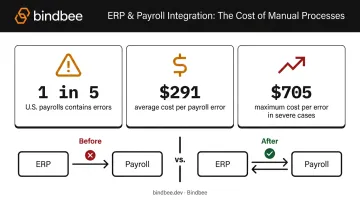
When an ERP integrates with payroll and financial management tools, compensation changes and headcount updates flow automatically across systems — eliminating the manual re-entry that creates errors downstream.
That exposure is real: according to a 2022 EY survey released via Paycom, one in five U.S. payrolls contains errors, costing an average of $291 per error and up to $705 per error. For HR Tech and benefits platforms handling payroll-adjacent data, ERP integration is one of the most direct ways to protect data accuracy at scale.
Software Integration Examples in HR Tech and Benefits Administration
HR Tech is where integration gets genuinely complex — and genuinely high-stakes. Employee data (personal details, compensation, benefits elections, dependents) must be accurate, timely, and consistent across HRIS, payroll, benefits administration, carrier, and engagement platforms. The Sapient Insights 2024-2025 Annual HR Systems Survey covers 50 distinct HR-related application categories — illustrating just how fragmented the average employer's HR tech stack has become.
HRIS + Benefits Administration Platform
When a benefits platform connects to an employer's HRIS, the integration automates the entire benefits lifecycle:
- New hire events trigger enrollment workflow initiation automatically
- Terminations trigger coverage cancellations without manual intervention
- Dependent additions or life events push updated eligibility data to carriers in real time
Without this integration, benefits teams manage eligibility through manual file exports — a process prone to enrollment errors, coverage lapses, and compliance risk. Under ERISA, certain failures to furnish required information can carry penalties of up to $190 per day per affected participant. Accurate, automated eligibility data isn't just operationally convenient — it's a compliance requirement.
HRIS + Payroll Sync
Eligibility is only part of the data accuracy problem. On the compensation side, when HRIS and payroll systems aren't integrated, compensation changes, deductions, and employment status updates get re-entered manually — creating gaps between what the HRIS shows and what actually runs in payroll. The EY data cited above makes the stakes clear: 20% of payrolls contain errors, and IRS Failure to Deposit Penalties start at 2% for deposits just one to five days late and can reach 15% for amounts still unpaid after formal IRS notice.
Automated HRIS-to-payroll sync keeps both systems in agreement without requiring anyone to transfer data between them.
HRIS + Employee Engagement and Recognition Tools
Employee engagement, gifting, and recognition platforms — like Giftpack, which uses Bindbee's unified API for exactly this purpose — integrate with HRIS systems to automate employee roster management:
- New employees are onboarded into the platform automatically on their hire date
- Org chart data syncs to keep team structures current
- Terminated employees are removed without requiring HR to manually update a separate list
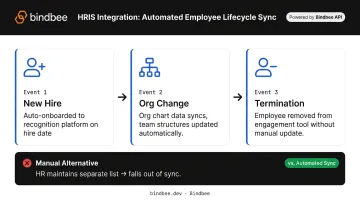
When this integration doesn't exist, recognition programs rely on HR administrators maintaining a separate employee list in the engagement tool — which falls out of sync the moment someone starts or leaves.
Legacy HR Systems + Modern HR Tech via SFTP-to-API Bridge
Many mid-market and enterprise employers still run HRIS platforms that export data as flat files over SFTP rather than via REST APIs. This creates a real coverage problem for HR Tech companies: support only modern APIs and you lose enterprise deals that run on legacy infrastructure.
Bindbee's SFTP-to-API bridge solves this by allowing HR Tech platforms to ingest legacy file-based data through the same normalized API layer used for modern HRIS connectors. Newfront, the insurance technology company, used this capability to onboard enterprise clients regardless of their underlying HR infrastructure — what had been a technical barrier became a sales advantage.
The Unified API Approach for HR Tech Integration at Scale
Building and maintaining native integrations with 60+ HRIS, payroll, benefits, and carrier systems individually is a heavy engineering commitment. Each integration requires:
- Custom development against that system's specific API
- Ongoing maintenance when upstream systems release breaking changes
- Separate authentication flows and rate limit management
A unified API normalizes all of those system outputs into consistent data models (employees, dependents, benefits enrollment, coverage) so engineering teams build once and support every connected system.
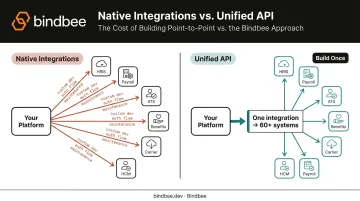
When Workday or ADP releases an API update, the unified API layer absorbs the change. Customers see no disruption and write no new code.
Bindbee's platform operates on this model, exposing normalized data models (Employee, Benefit, Dependent, DependentBenefit, Compensation, Payroll Runs) across 60+ connected systems. Cypherworx's senior developer confirmed this directly: Bindbee's approach lets their team "add support for new systems without any code change."
Key Benefits of Software Integration for Businesses
Operational Efficiency
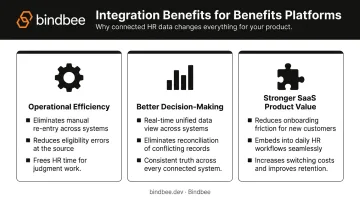
Automated data flows eliminate the manual re-entry that consumes hours of administrative work each week. McKinsey research projects that by 2030, activities accounting for up to 30% of hours worked in the U.S. economy could be automated — and integration is a foundational layer of that shift.
For HR and benefits teams specifically, that translates to:
- Fewer eligibility file errors reaching carriers
- Fewer payroll corrections to chase down
- More time for work that requires human judgment
Better Decision-Making
When systems share data in real time, managers and analysts see one consistent version of the truth. Reconciling conflicting records from isolated tools wastes time and produces decisions built on stale or mismatched data.
Stronger Product Value for SaaS Platforms
For customer-facing SaaS products, integrations directly affect retention. When a platform connects to the tools customers already use, onboarding friction drops, the product embeds into daily workflows, and switching costs rise.
Healthee's benefits platform cut employer onboarding from multi-month custom integration cycles to same-day go-live after adopting Bindbee's unified API. That speed improvement matters beyond engineering — it shortens sales cycles and removes a common objection during enterprise deals.
How to Choose the Right Integration Approach
Start With a Workflow Audit
Before selecting a technical approach, map the data landscape:
- Which systems hold critical data?
- Where does that data need to flow — and how often?
- Which manual processes consume the most time or create the most errors?
Integration decisions driven by business outcomes (reduce time-to-onboard, improve payroll accuracy) are easier to prioritize and measure than decisions driven by technical preference alone.
Build vs. Buy
| Approach | Pros | Cons |
|---|---|---|
| Build native integrations | Full control over behavior | High engineering cost, ongoing maintenance per system |
| Pre-built integration platform or unified API | Faster time-to-market, maintenance offloaded | Less customization for edge cases |
For companies integrating with many similar systems in one category — say, 20+ HRIS platforms — a unified API is the more efficient path. One integration replaces twenty, and when upstream systems change, the maintenance burden stays with the platform — not your engineering team.
Non-Negotiable Security and Compliance Considerations
Once you've settled on an approach, security requirements narrow the vendor shortlist fast. For sensitive data environments — employee records, health plan enrollment, compensation — vet integration vendors against these criteria:
- SOC 2 Type II — confirms controls are operating effectively over time, not just designed correctly
- ISO 27001 — internationally recognized information security management standard
- HIPAA compliance — required when handling protected health information for health plans or covered entities
- Data freshness model — understand whether the platform uses real-time sync, incremental sync, or batch processing, and whether webhooks are available for time-sensitive events like new hires or terminations
Bindbee holds SOC 2 Type II and ISO 27001 certifications and is HIPAA-compliant. Benefits and HR Tech platforms that build on Bindbee get those certifications as part of the integration layer, so there's no need to certify the integration independently.
Frequently Asked Questions
What are the different types of software integration?
The four main types are:
- Vertical — connects systems within the same functional silo
- Horizontal (hub-and-spoke) — routes multiple systems through a central platform
- Point-to-point — directly connects two systems via a custom connector
- Common data format — standardizes all systems to a shared schema
Most businesses use a combination of these depending on the use case.
What are software integration examples?
Common examples include:
- CRM + marketing automation
- E-commerce platforms + payment gateways
- Customer support ticketing + project management tools
- HRIS + benefits administration platforms
- ERP + payroll systems
Each connects two or more applications to eliminate manual data transfer between them.
What is the difference between internal and customer-facing software integration?
Internal integrations connect the tools a business uses in its own operations — like syncing HRIS and payroll. Customer-facing integrations connect a software product to the third-party apps that product's customers use — like a benefits platform connecting to each employer's HRIS. They serve different stakeholders and typically require different levels of breadth and standardization.
What are the key benefits of software integration for businesses?
The primary benefits are elimination of manual data entry, real-time data accuracy across systems, reduced human error, and improved operational efficiency. For SaaS products specifically, customer-facing integrations reduce onboarding friction and increase product stickiness — directly supporting retention.
What is a unified API and how does it relate to software integration?
A unified API normalizes multiple third-party APIs into a single, standardized interface. Instead of building a separate integration for each system, a company builds one and instantly supports every system the unified API covers. For HR Tech companies managing connections to dozens of HRIS and payroll platforms, this cuts development time from quarters to days and removes ongoing maintenance overhead.