Most engineering teams know the pain firsthand: fragmented data across CRM, HRIS, and ERP tools. Slow partner onboarding that stalls deals. Weeks of engineering time burned on custom connections that break the moment a partner updates their API.
This guide covers what actually works, where teams go wrong, and how to decide between building integrations in-house or using a unified integration platform.
Key Takeaways
- Real-time B2B API integration replaces manual data handoffs between business systems and partners
- Prioritization frameworks, observability, and security protocols separate reliable integrations from fragile ones
- In-house builds consume far more engineering time than a unified API platform
- HR tech and benefits platforms need purpose-built, normalized data models, not generic connectors
What Is B2B API Integration?
B2B API integration is how one company's software connects programmatically with another business's systems to exchange data. No manual exports. No copy-pasting between spreadsheets.
Two types matter most:
- Product integrations: a SaaS platform unlocks features by connecting to a customer's existing tools (think: a benefits platform pulling employee data from a customer's HRIS)
- Partner integrations: two businesses exchange data to run shared operational processes, like supply chain or financial reconciliation
The core goals stay consistent across both: real-time data sync, enforced security and compliance, automated workflows, and fewer engineering hours spent maintaining brittle connections.
What Is a B2B API?
A B2B API is a defined set of rules that lets two business systems exchange data securely and programmatically. Unlike consumer-facing APIs built for individual app users, B2B APIs serve authorized business partners exchanging operational or financial data at scale. TechTarget's enterprise API strategy guide covers how teams design these interfaces for partner ecosystems.
A Real Example
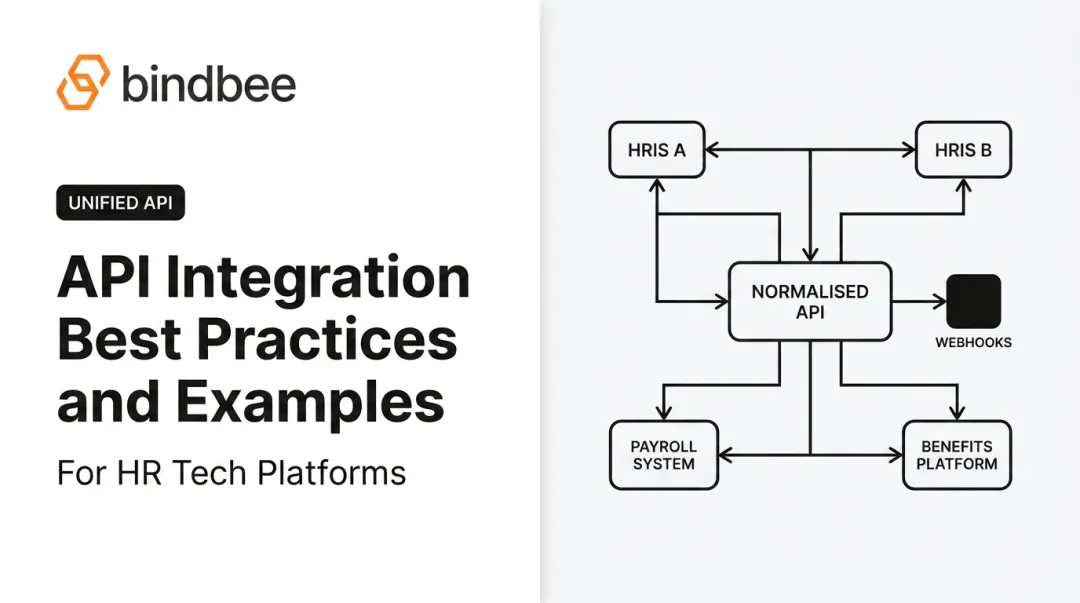
Picture an HR benefits platform that needs employee and dependent data from dozens of different HRIS systems. Instead of building 60 separate integrations, it connects once to a unified API layer that normalizes data across all of them.

Common B2B software categories include:
- CRM platforms (Salesforce, HubSpot)
- HRIS and payroll systems (Workday, ADP, Gusto)
- Accounting software (QuickBooks, NetSuite)
- Benefits administration platforms (Employee Navigator, Benefitfocus)
Why B2B API Integration Matters for Modern Businesses
The average organization now runs more than 371 SaaS applications, according to Productiv's 2024 SaaS purchasing report. That's a lot of systems that need to talk to each other — and most don't, by default.
The operational fallout is measurable. BetterCloud's 2024 State of SaaSOps report found that 58% of IT teams couldn't equip new hires with required access on day one, and half took over 24 hours just to complete offboarding.
Manual data entry compounds the problem. A 2025 survey of US professionals found workers spend more than 9 hours per week on manual data entry, costing companies an average of $28,500 per employee annually, according to Parseur's survey data reported via PR Newswire.
When systems don't connect:
- Data silos form between departments
- Partner onboarding stalls waiting on custom engineering work
- Engineers get pulled off product work to fix broken syncs
Real-time integration eliminates most of this friction. It gives teams a single, current view of employee, customer, or partner data instead of five conflicting spreadsheets.

Core Best Practices for Building B2B API Integrations
Getting integrations right requires more than just calling an endpoint. Here's what separates reliable integration programs from ones that constantly break.
Prioritize Strategically
Not every integration deserves equal engineering investment. Score potential integrations against:
- Impact on customer retention
- Effect on sales close rates (does a missing integration lose deals?)
- Volume of customer requests for that specific system
Build the highest-scoring integrations first. Everything else waits.
Standardize Data Models Before You Integrate
Complex data types like employee benefits, dependents, and eligibility records need dedicated structures, not generic field mapping. A well-structured model separates:
- Employee records (profile, employment status, hire/termination dates)
- Benefits data (plan, provider, coverage tier, effective dates)
- Dependent records (relationship, coverage, eligibility)
Generic connectors often flatten these into loose attributes, forcing teams to rebuild mapping logic for every new system they connect.
Build Observability From Day One
Broken syncs are inevitable. What matters is catching them fast. Solid observability includes:
- Centralized, searchable logs showing sync status and affected records
- Automated error detection and retry handling
- Webhook-based alerts the moment a sync fails
- Real-time dashboards for connection health

OpenTelemetry's documentation defines the standard signal types (traces, metrics, and logs) worth building your monitoring stack around.
Design for Real-Time, Not Batch
Static nightly pulls create stale data. A new hire added Monday shouldn't show up in your system Thursday. Incremental, event-driven syncs keep data current without re-pulling entire datasets every time.
Bridge Legacy Systems
Not every partner supports modern REST APIs. Some legacy HRIS and benefits systems only export flat files.
An SFTP-to-API bridge solves this. It parses CSV, XML, or fixed-width files and normalizes them into the same schema used for API connections. Those records then serve through one consistent endpoint, so downstream systems never need to know which transport delivered the data.
Document Everything
Write down integration logic, error-handling rules, and troubleshooting steps. When support tickets come in about a broken sync, the team handling them shouldn't need to hunt down the original engineer.
Security, Compliance, and Reliability Considerations
Security failures in B2B integrations don't just cost money. They can trigger regulatory violations, especially when employee health or financial data is involved.
Authentication and encryption fundamentals
- Use OAuth 2.0 for authorization, following current best practices like exact redirect-URI matching, as outlined in RFC 9700
- Encrypt data both in transit and at rest
- Apply role-based access controls so only authorized systems can pull sensitive records
Compliance certifications matter, but read the fine print
| Certification | Covers |
|---|---|
| SOC 2 Type II | Security, availability, processing integrity controls |
| ISO 27001 | Information security management systems |
| HIPAA | Protected health information handling (US) |
| GDPR readiness | EU data subject protections, applies even to US companies serving EU users |
Note: holding SOC 2 or ISO 27001 doesn't automatically make an integration HIPAA-compliant. Verify each certification independently against your specific data flows.
Build real-time reliability through webhooks
Partner-side changes (a new hire, a termination, a dependent added to a health plan) need to reach your system the moment they happen. Webhook-based notifications replace slow batch files and manual eligibility checks, catching qualifying events like COBRA triggers as they occur rather than days later.
Build vs. Buy: Choosing the Right Integration Approach
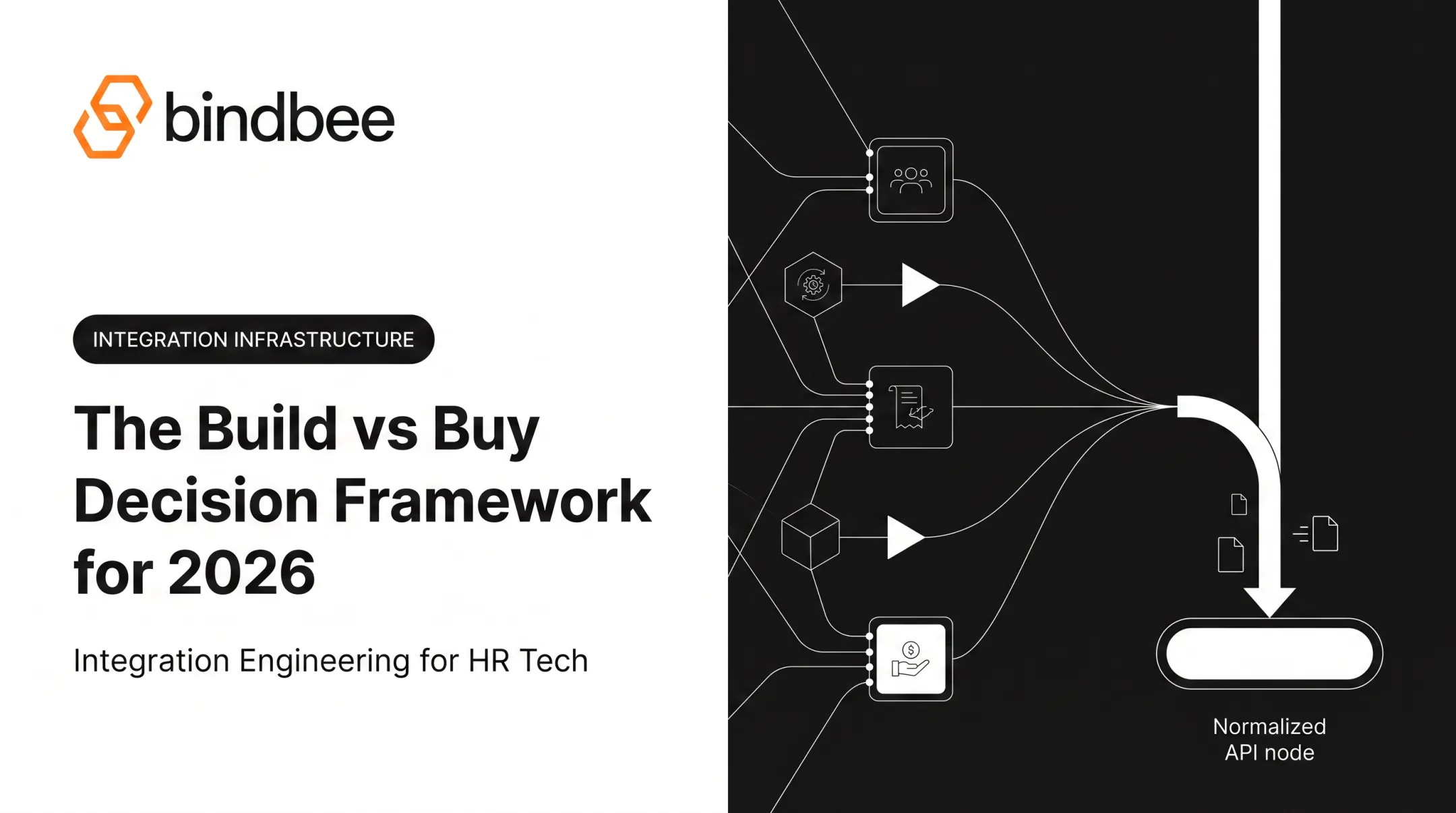
This is the decision most engineering leaders eventually face: build every integration in-house, or adopt a unified API platform that's already normalized the data.
Building in-house gives you full control, but it comes with real costs:
- Each native integration typically takes weeks of dedicated engineering time
- Partner APIs change without warning, requiring ongoing maintenance
- Supporting 60+ systems means maintaining 60+ separate codebases
Unified API platforms trade some control for speed. For HR tech, benefits administration, and payroll platforms specifically, a unified API removes the need to build and maintain individual connections to dozens of HRIS, payroll, benefits, and carrier systems.
Bindbee, for example, normalizes data across 60+ systems (including Workday, ADP, BambooHR, Gusto, Rippling, and Paychex) into a single API. Teams that made the switch report sharp drops in both build time and ongoing engineering load:
- Newfront cut integration deployment from 8–12 weeks to 48 hours, with a 90% reduction in engineering time
- Healthee moved from 2+ month custom builds to same-day HRIS connections for its customers

When build makes sense:
- You only need one or two integrations
- Those partner systems rarely change their APIs
- You have dedicated engineering capacity to spare
When buy makes sense:
- You need to support many HRIS, payroll, or benefits systems
- Sales deals are stalling on missing integration coverage
- Engineering time is better spent on your core product
For benefits-specific data (dependents, eligibility, coverage elections), a purpose-built unified API handles the data modeling work upfront. Your team does not have to reverse-engineer how "dependent eligibility" should look across 40 different vendor schemas.
Frequently Asked Questions
What is a B2B API?
A B2B API is a defined set of rules that lets two business systems exchange data securely and programmatically. Businesses commonly use them for supply chain, HR, and financial data exchange between authorized partners, unlike consumer-facing APIs.
What is an API integration example?
A common example: an HR benefits platform syncing employee data from a company's HRIS system to automate benefits enrollment. This eliminates manual data entry and keeps eligibility records current as employment status changes.
Can you give me an example of B2B software?
Examples include Workday (HRIS), ADP (payroll), Salesforce (CRM), and benefits administration platforms. These systems routinely exchange data with each other to support day-to-day operations.
How long does it typically take to build a custom B2B API integration in-house?
Native integrations commonly take 4-8 weeks per system, based on vendor-reported comparisons. Unified API platforms can cut this to under a day for many systems, though actual timelines vary by complexity.
What's the difference between EDI and API integration?
EDI is an older, standardized format for batch-based document exchange, commonly used for structured transactions like purchase orders. APIs support flexible, on-demand data exchange and are better suited to real-time needs, according to IBM's comparison of the two standards.
How do I ensure my B2B API integrations stay secure and compliant?
Encrypt data in transit and at rest, use OAuth 2.0 for authentication, and choose vendors holding SOC 2 Type II and ISO 27001 certifications. Verify HIPAA or GDPR compliance separately based on your specific data handling needs.