
Payroll deduction codes: how to map benefit elections
Summarise the blog with AI
Last verified: 2026-11-03
Key takeaways
- A deduction code is an employer-configured payroll item whose settings, not its name, decide calculation, tax treatment and schedule.
- "Voluntary" and "pre-tax" are separate answers, and IRS Publication 15-B states tax treatment separately for each tax type.
- A mapping spec assigns every cost component of every election to exactly one code, with its amount basis, tax setup, effective dates and schedule.
- The employer share and group-term life imputed income need their own lines, and the cost of coverage above $50,000, minus what the employee paid, is wages subject to Social Security and Medicare.
- A cafeteria plan may, but need not, allow mid-year changes on a change in status, and the effective date is a separate field from the first check date.
- Test code, amount, dates, tax setup and duplicates before the first payroll runs on the mapping.
A deduction code named MED is not a medical benefit. It is a label someone at the employer chose, and everything that matters sits in how the label is configured.
That gap is where mapping goes wrong. The benefits system knows who chose what. Payroll knows what to take, from which taxes, on which check. The code is the only place the two meet, so a wrong code, tax setting or date reaches the employee as a wrong paycheck.
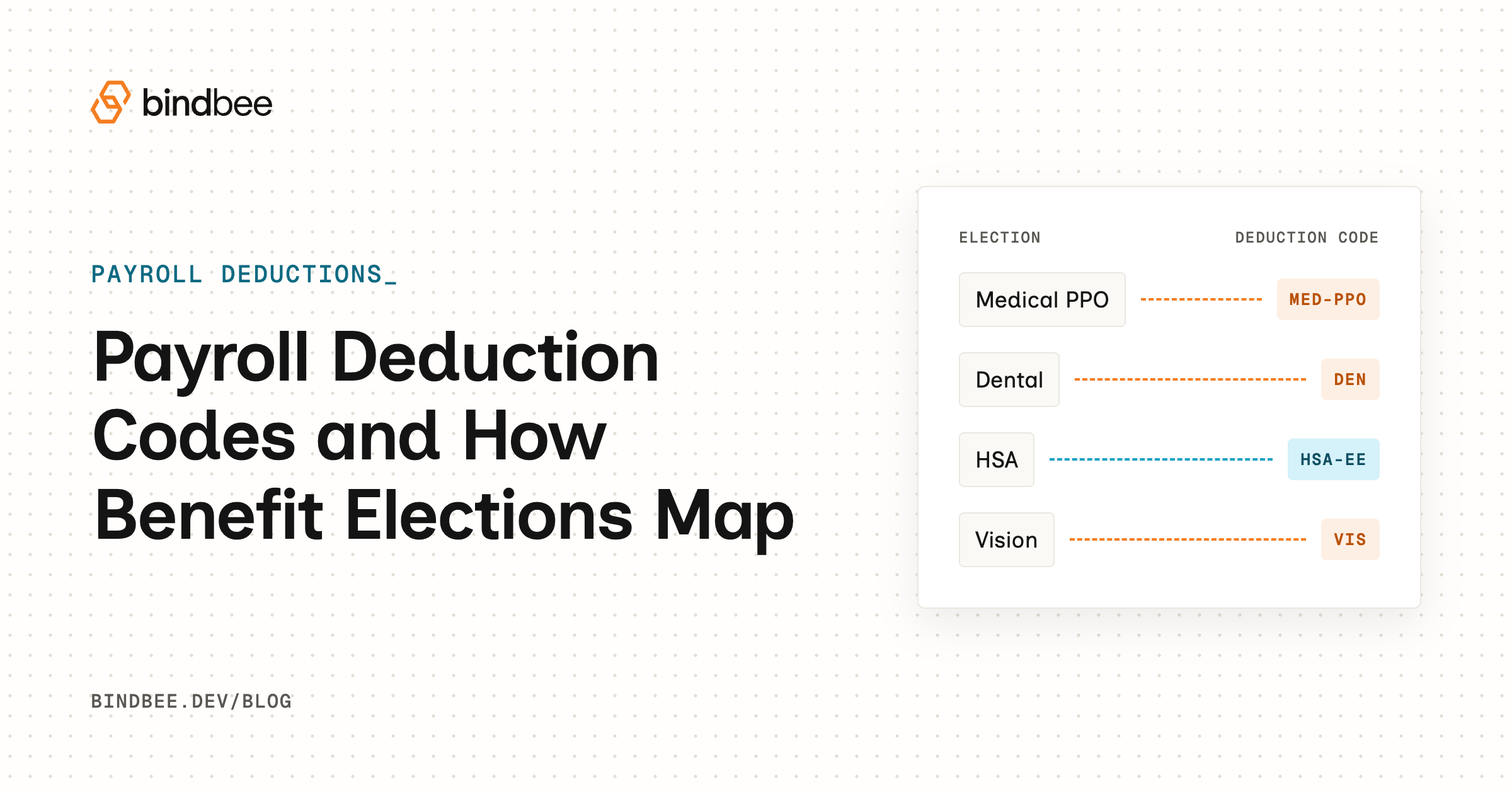
Here are the terms as this guide uses them. A benefit election records the employee's choice: plan, option, coverage tier, effective date, and the employee and employer cost per period. A deduction code is an employer-configured payroll item whose settings, not its name, decide calculation, tax treatment and schedule. Mapping assigns each cost component of each election to exactly one code, from a stated effective date.
What follows is a mapping spec you can fill in for any payroll system, through to a test list. Per-vendor screen walkthroughs are left to each payroll vendor's docs.
What an election holds, and what a deduction code holds
The election side is fixed by what the employee chose. The code side is fixed by whatever the employer configured, and neither tells you much about the other.
| Element | Lives in | What it determines |
|---|---|---|
| Plan and option | Benefits system | Which benefit, and which choice within it |
| Coverage tier | Benefits system | The price band the employee falls into |
| Employee and employer cost per period | Benefits system | The dollar amounts payroll must reproduce |
| Effective date | Benefits system | When the choice starts to count |
| Code name | Payroll system | Nothing by itself; employers define their own |
| Tax assignment | Payroll system | Which taxes the deduction reduces |
| Calculation basis | Payroll system | A flat amount per paycheck, or a rate per unit |
| Deduction schedule | Payroll system | Which pay periods take the deduction |
Paylocity's developer documentation shows the pattern in one system. Its sample codes include 401K, MED and DNTL, and it notes that deduction codes can be customized per client, so nothing makes one customer's MED match another's. It also states that the taxability of an earning or deduction code is determined by its assigned detType, and that Amount is a flat per-paycheck figure while Rate is applied per unit.
The field names are Paylocity's. The rule holds on any payroll system: tax treatment belongs to the code's configuration. Paylocity's documentation also describes recurring deductions on the employee record for retirement (401(k), Roth, loans) and for benefits (medical, dental, vision), and what Paylocity's API exposes covers how to read that configuration.
So collect each code's settings from the customer along with the code list. The next question is what those settings should say, and the first wrong assumption lives in the word "voluntary."
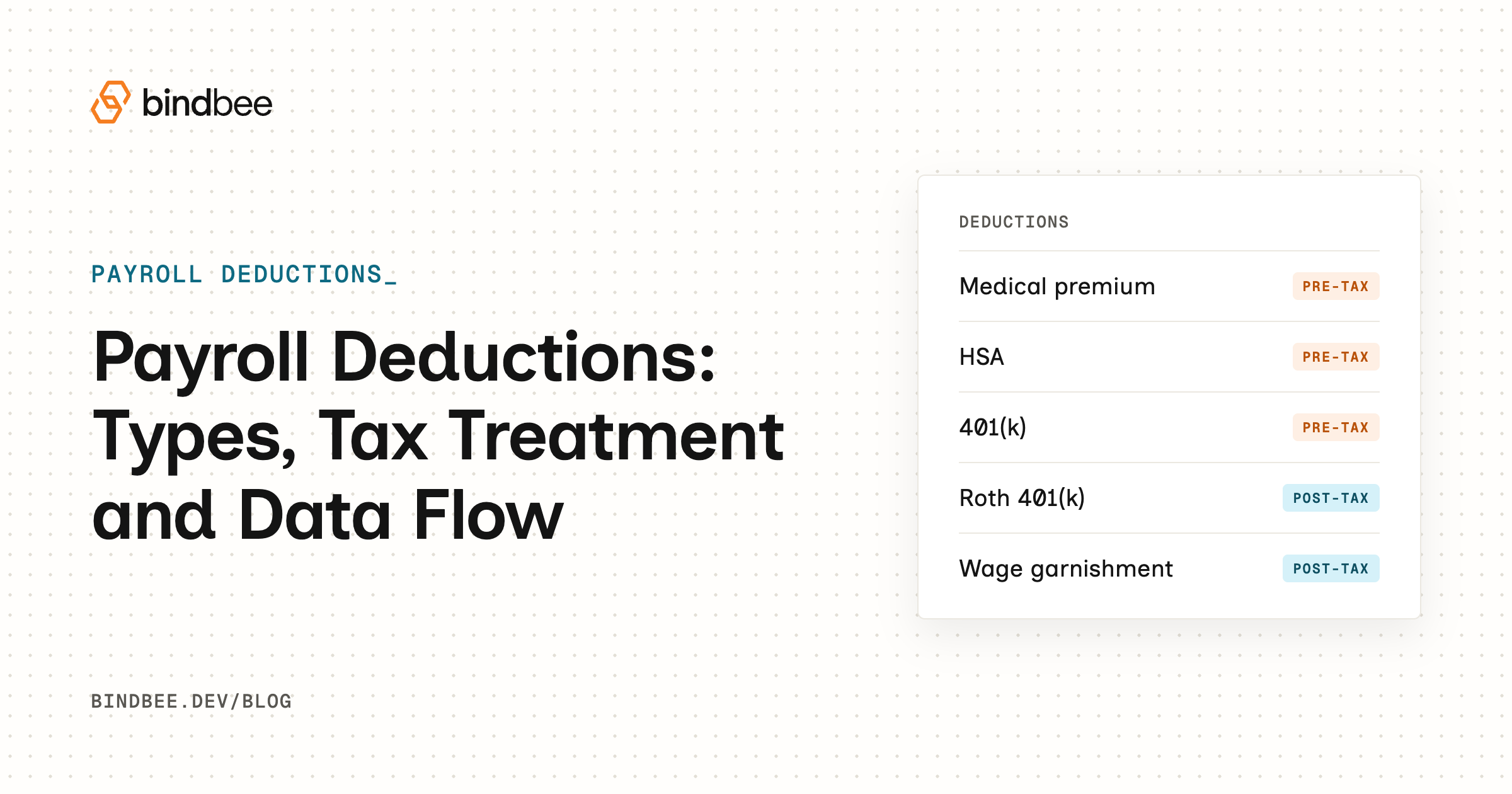
Voluntary and pre-tax are two different questions
Whether the employee chose a benefit and how its cost is taxed are separate answers. Voluntary describes who decided. Tax treatment describes what the deduction does to each tax base. Voluntary vs mandatory deductions works through the first question, and which W-2 boxes each pre-tax deduction reduces the second.
IRS Publication 15-B (2026) makes the second answer plural. Its Table 2-1 states treatment separately for each tax type, and accident and health benefits are exempt in every column except for 2% shareholder-employees of S corporations. Excluded benefits under a cafeteria plan, a written plan that lets employees choose between cash or taxable benefits and qualified benefits on a pre-tax basis, are generally not subject to federal income tax withholding, Social Security, Medicare or FUTA.
That exception is worth a second look. It depends on who the employee is, not on which benefit they elected, so confirm it for the customer rather than assuming the standard answer.
"Pre-tax," then, is shorthand for a set of per-tax answers, and payroll stores them as settings on the code:
| Benefit example | Elected by employee? | Tax treatment depends on | Where it's configured |
|---|---|---|---|
| Medical premium through a cafeteria plan | Yes | Whether it is an excluded benefit, read for each tax type | Tax settings on the code |
| Elected benefit that is not an excluded benefit | Yes | Whether it qualifies; if not, it is taxable | Tax settings on the code |
| Group-term life coverage | Varies; the employer may provide it | Its own pattern by tax type (see the components section) | Tax settings on the imputed-income code |
| Garnishment or other statutory deduction | No | Not a benefit election; outside this mapping | Its own code |
Taxability is now a fixed input to the mapping rather than a guess drawn from a code's name, and that means the join can be written down.
The mapping spec: one row per plan, option, tier and component
A mapping spec has ten fields, and you fill them in for every plan, option, tier and cost component. Each field exists because of what goes wrong without it.
| Field | What it records | Why it breaks if missing |
|---|---|---|
| Plan and option | The benefit and the choice within it | Gold and Silver land on one code |
| Tier | Employee only, employee plus spouse, and so on | One amount applies to every tier |
| Component | Employee share, employer share, imputed income | Employer cost never gets a line |
| Target code | The customer's code, by exact identifier | A name guess hits a code set up for something else |
| Amount basis | Flat amount, rate per unit, or percent | A flat figure gets multiplied as a rate |
| Tax treatment as configured | Per-tax-type settings read from the code | The name stands in for the setup |
| Effective start and end | Dates the component applies | Rows overlap or leave gaps |
| Deduction schedule vs pay frequency | Which periods take it | Annual cost divides by the wrong period count |
| Adjustment and arrears rule | Handling of rounding and missed deductions | A late change has no catch-up rule |
| Eligibility key | The payroll attribute deciding who can elect | The wrong people see the plan |
The eligibility key is the one field that comes from payroll before any election exists. Employee Navigator's support documentation says each payroll field can be mapped to Business Unit, Class, Department, Division, Employment Type, Job Classification or Office, and that Employment Type is the primary eligibility driver and should be mapped first. Source systems expose plan and deduction-type data the spec has to read, so this is a good place to start.
Now one row, filled in. Every code and dollar figure below is illustrative; MED_EE is a name invented for this example, and each employer defines its own. An employee elects Gold medical, employee plus spouse, at $480.00 per month for the employee share, and the customer deducts across 26 paychecks.
- The row is Gold medical, employee plus spouse, employee share, target code MED_EE.
- Annualized, $480.00 × 12 = $5,760.00.
- Divided by the schedule, $5,760.00 ÷ 26 = $221.5385, rounded to $221.54.
- The rounding check gives 26 × $221.54 = $5,760.04, four cents over the annual cost.
- The adjustment rule sets the last deduction of the plan year to $221.50, so 25 × $221.54 plus $221.50 equals $5,760.00.
- The rest of the row records a flat Amount basis, the tax settings as read from MED_EE, and the start date from the election.
The result is $221.54 per paycheck with a four-cent correction on the last. The arithmetic is trivial. What matters is that the spec forced three decisions the election never made: the code, the schedule and the rounding. Skip the last and the deduction runs four cents over every year, until someone reconciles annual totals.
That row maps the employee's share. The election has other components, and payroll does not treat them as the employee's deduction.
The parts of an election that aren't the employee's deduction
The employer share and any group-term life imputed income each get their own line in the spec. Neither is something the employee elected to pay.
| Component | Code type | Tax pattern | Who computes it |
|---|---|---|---|
| Employee share | Deduction | Set per tax type on the code | The mapping, from the election's cost per period |
| Employer share | Own code or memo item | Read from that code's setup, not copied from the employee share | The mapping, from the election's employer cost |
| Group-term life imputed income | Imputed-income line (wages) | Social Security and Medicare apply; federal income tax withholding optional; no FUTA | You, from Table I, or the payroll system |
The group-term life row is the one that surprises people, because the cost of coverage turns into wages. Per IRS Publication 15-B (2026), the employer may exclude the cost of up to $50,000 of group-term life coverage. The cost of coverage beyond that, minus what the employee paid, is included in wages. That cost comes from a uniform premium table in 26 CFR §1.79-3, Table I, which gives the cost per $1,000 of protection for one month by five-year age bracket.
The IRS's own example runs in three steps:
- Coverage above the exclusion is $200,000 less $50,000, which leaves $150,000.
- The yearly cost is $0.15 × 150 × 12 = $270.
- The includible amount is $270 less the $100 the employee pays, which leaves $170.
In your spec the $0.15 comes from Table I for the employee's age bracket. It is the figure in the IRS example, not a constant.
Before you add an imputed-income line, ask whether the customer's payroll already computes it. Paylocity's developer documentation says the system automatically calculates employer-provided group-term life at the employee's pay frequency from the total coverage amount. If payroll does that, the spec should carry the coverage amount and nothing more, because a second computed line would double-count the same wages.
With every component named, the spec is complete for day one. It will not stay complete.
What happens to the mapping when an election changes
A cafeteria plan may let a participant revoke an election mid-year and make a new one when a change in status occurs, but it is not required to. Under 26 CFR §1.125-4, the new election must be on account of and correspond with that change. Named examples are legal marital status, number of dependents and employment status.
Each event moves a different part of the spec:
- A change in legal marital status moves the tier, and with it the employee and employer amounts.
- A change in the number of dependents moves the tier the same way, which means a new cost row and an end date on the old one.
- A change in employment status moves the eligibility key, which can add or remove whole plans from what the employee may elect.
In all three, end-date the old row and start a new one instead of editing in place, so the election history and the check history can both be reconciled. Store the event type on the new row too. The mapping cannot enforce the consistency rule, but whoever administers the plan can audit it, and a clear grounding in what qualifying life events are helps.
The dates are the second half. The effective date is when the coverage changes. The begin check date is the first paycheck that takes the new amount. Paylocity's developer documentation lists Effective Date, Start/Begin Check Date and End Date as distinct critical fields, with a "Current" recordType marking the active record. A tier change effective the 1st may not reach payroll until a check dated the 12th, and the gap between those is what the spec's arrears rule exists to settle.
Who supplies the date is its own problem. Employee Navigator's support documentation says ADP does not send effective dates for certain fields, so changes for existing employees wait in Employee Navigator's review queue until the date is confirmed. When one side doesn't send a date, it becomes a manual task, and the spec should say which side owns it.
A mapping that survives change still has to be proven before real paychecks depend on it. That means turning each field into a test.
How to test the mapping before the first payroll
Run the checks below against the spec, not against what looks plausible, on a test set that includes every tier and at least one mid-year change. There are seven:
- Each deduction posts to the code the spec names, confirmed by identifier.
- The per-paycheck figure equals the spec's calculation, including the rounding adjustment.
- Effective and begin check dates match the spec, and no row overlaps or leaves a gap.
- The code's setting for each tax type matches the spec, since year-end reporting follows that setup.
- No component posts twice, including imputed income that payroll already computes.
- Employee and employer amounts post to separate codes and never net against each other.
- One permitted mid-year change ends the old row, starts the new one, and moves amounts and dates together.
A correct amount on a wrongly configured code is still wrong, so check four reads the setup itself. Where the system allows it, pull results back by query. Paylocity's Deductions API, for instance, filters on code (eq, ne, in, sw, ct) and effectiveDate (eq, ne, gt, ge, lt, le, in), so a test can fetch one code over one date range and diff it against the spec.
Passing once proves the mapping at one moment. Reconciliation after go-live covers keeping it true. The remaining question is how both halves of the join keep reaching the same place.
How the join moves from the benefits system to payroll
The join can move four ways: someone keys it, a file carries it, a direct API integration carries it, or a unified API layer does. Each carries the plan-to-code link differently, and each fails in a different place.
| Approach | What carries the plan-to-code link | What you maintain | Where it breaks |
|---|---|---|---|
| Manual keying | A person working from the spec | The spec and the person's discipline | A code is renamed or a tier changes and nobody remembers |
| File feed | The file layout, with a code column per customer | A plan-to-code crosswalk per customer, plus the file format | A code changes on the payroll side and the crosswalk doesn't |
| Direct API | Calls to one payroll system's deduction endpoints | One integration per payroll system | A system doesn't expose codes or accept deduction writes |
| Unified API | One API and data model across several systems | The spec, the code assignments, and handling for fields the model lacks | A field the model doesn't carry, or a write the connected system doesn't support |
Whichever carries it, the spec needs the enrollment's tier and contributions on one side and the plan's deduction code on the other. Bindbee's API is one place those can be read together. It reads benefits as four models: the plan catalog (the employer benefit), each enrollment (tier, employee and company contribution, effective date), dependent coverage, and per-person insured amounts.
All four are read-only. Enrollment changes happen in the source system and reach Bindbee on the next sync, and Bindbee's production connectors sync every 24 hours by default, adjustable per connection on request. Payroll codes are readable too, typed EARNING, DEDUCTION or TAX with a sub_type such as RETIREMENT, HEALTH or GARNISHMENT. Where the customer's payroll system populates it, an employer benefit carries the ID of its deduction code. Bindbee exposes that link when it exists, while the customer's payroll configuration defines the code and the customer decides which plan uses it.
With the code and amount specified, the next question is whether the deduction can be written instead of keyed. Bindbee can write a benefits deduction (an ICHRA allowance, HSA contribution or voluntary premium) to payroll as a line item through the employee payroll run endpoint, where the integration supports that write. Two calls carry the join: read the customer's codes, then post the deduction against one of them with an idempotency key.
# 1. Read the customer's payroll codes; match by ID, not by name
curl -G https://api.bindbee.dev/api/hris/v1/payroll-codes \
  --header 'Authorization: Bearer <BINDBEE_API_KEY>' \
  --header 'X-Connector-Token: <CONNECTOR_TOKEN>' \
  --data-urlencode 'page_size=200'

# 2. Write the deduction; the same key on a retry reproduces the same write
curl --request POST \
  --url 'https://api.bindbee.dev/api/hris/v1/employee-payroll-runs' \
  --header 'Authorization: Bearer <BINDBEE_API_KEY>' \
  --header 'X-Connector-Token: <CONNECTOR_TOKEN>' \
  --header 'X-Idempotency-Key: payroll-{employee_id}-{period_end}' \
  --header 'Content-Type: application/json' \
  --data @deduction.json
The body of the write varies by payroll system: Workday takes a type and an id, ADP takes a code, and both take an amount. Fetch the contract for the customer's system from GET /api/hris/v1/employee-payroll-runs/meta/post and build the body from it, as the write payroll deductions guide shows. A write goes straight to the source system and is readable back after the next sync. If the payroll period has already closed, the system can apply the write to the next open period, and the cutoff is not exposed through the API, so read the run back and treat a late change as a next-period adjustment.
Here is how the seven tests above map to what Bindbee provides, and what it leaves to you:
| Test | What Bindbee gives you |
|---|---|
| Code | Codes by ID, typed EARNING, DEDUCTION or TAX, with a sub_type |
| Amount | The deduction line on the employee payroll run, readable after the next sync |
| Dates | The run's start, end and check dates; a write after close can land in the next period |
| Tax setup | Not exposed in the unified model; confirm it in the customer's payroll |
| Duplicates | An idempotency key on every write, so a retry does not post twice |
| Separation | Employee and company amounts arrive split on each deduction line |
| Change | Enrollments accumulate rather than overwrite, so the old and new rows both read back |
Support varies by integration, and Bindbee publishes it in a Model Availability Matrix that marks each model Available, Beta or not available. Check it for the customer's payroll before you promise the write. When the attribute you need isn't in the unified model, Custom Fields map it from the synced payload with a JMESPath expression, at the integration or connector level. To find the field first, request include_raw_data=true; raw data is for discovery and debugging, not something to build the mapping on. Reaching a field the unified model lacks works that way. Bindbee is SOC 2 Type II, ISO 27001, HIPAA and GDPR compliant, which matters when a third party is writing to payroll.
What Bindbee does not do matters just as much. It does not map elections to codes, calculate deduction amounts, set or validate tax treatment, or compute imputed income, and it does not run payroll. Those stay with the spec you wrote and the customer's payroll system.
If you want to see enrollments read with their linked deduction codes, and deductions written on your customers' integrations across the 110+ HRIS, payroll, ATS and benefits systems Bindbee connects to, book a walkthrough. We build the integrations. You build the product.
Frequently asked questions
How do deductions work on a paycheck?
Payroll starts from gross pay, reduces the base for each tax by the deductions excluded from that tax, calculates the taxes, then takes after-tax deductions to reach net pay. Each deduction's place in that order is set by its code's tax configuration. Because treatment is stated separately for each tax type, one deduction can reduce the base for one tax and not another.
Who decides which deduction code a benefit plan uses?
The employer, usually through whoever configures their payroll. Codes are defined per employer, so the same plan can post to different codes at two customers. The benefits platform records that choice in its mapping spec and confirms each code's tax settings before the first payroll runs on it.
Can Bindbee write a deduction to any payroll system?
No. Deduction writes go through the employee payroll run endpoint where the integration supports that write, and support differs by payroll system. Bindbee's Model Availability Matrix marks each model Available, Beta or not available per integration, so check the customer's system there first.