FMLA leave management software: the integration requirements to test
Summarise the blog with AI
Last verified: October 13, 2026
Key takeaways
- Employer coverage and employee eligibility are separate decisions. Each needs its own source data, reference date, and reviewable result.
- A leave balance needs a calculation trail. The schedule, leave year, qualifying reason and time charged all have to be reproducible behind the number on screen.
- Notice and certification deadlines start from different events. The workflow has to keep what triggered each clock and what the employer decided.
- Medical evidence needs its own access boundary. An operational case status can travel without the certification behind it.
- A connection is only as good as its handoff. Check fields, ownership, effective dates, failed writes and corrections.
- Pick the integration approach against the workflow contract. A connector listing tells you a system is reachable; the contract tells you whether the data is usable.
This guide is for the product and engineering team at a leave-management platform. Employer buyers will test your product on what data each workflow uses, who makes each decision, and what they can inspect afterward. A feature list doesn't answer those questions; a demonstrated case does.
Three cases make good tests. A rehire's earlier employment is missing, so the eligibility evidence is incomplete. A schedule changes, so leave already charged may need recalculation. A medical document rides along with an ordinary status update, so the access boundary has failed. Your product should handle all three in front of a leave administrator, an engineer and an integration provider.
Establish coverage, eligibility, and entitlement separately
Start with the employer, then the employee. Under U.S. Department of Labor Fact Sheet #28 and 29 CFR §§825.104 and 825.108, private-sector coverage generally requires 50 employees on each working day for at least 20 calendar workweeks in the current or preceding calendar year. Public agencies and local educational agencies are covered regardless of employee count.
The employee tests under §825.110 are 12 months of employment and 1,250 service hours in the preceding 12 months, both assessed when leave begins, plus the 50 employees within 75 miles worksite test, assessed when the employee gives notice. The full rules, including the federal-employee and flight-crew exceptions, are in FMLA eligibility requirements: the rules and the data each test needs. For software, what matters is that each test gets its own dated evidence and reviewer:
Service hours mean hours actually worked under FLSA principles, so a conversion from paid hours or months gives the wrong answer. If hours records are missing, route the case to review: the employer carries the burden of showing insufficient hours.
Eligible employees generally have up to 12 workweeks in a 12-month period; military caregiver leave allows up to 26 workweeks in its single 12-month period. Keep payment, FMLA designation, state rights and accommodation obligations as distinct decisions in the data model.
Test the calculation behind the balance
You need to reproduce the time charged to a balance. Under DOL's Part 825 rules, §825.205 uses the employee's actual workweek for proportional leave accounting. Worked time can never be charged as leave. For intermittent leave, the increment can be no larger than the shortest increment used for other leave, and no larger than one hour.
Your product should show the inputs and deductions for continuous, intermittent and reduced-schedule cases:
Under §825.202, intermittent or reduced-schedule leave depends on the qualifying reason: covered medical situations require medical necessity, qualifying exigency leave may be intermittent, and bonding with a healthy newborn or newly placed child requires employer agreement. Route physical-impossibility and special-worker cases to review.
Keep the events behind every notice and certification
A reminder helps only when its trigger is right. Under §825.300, a request or employer knowledge of a potentially qualifying need generally starts a five-business-day eligibility-notice period, absent extenuating circumstances. Written rights and responsibilities go with that notice, and an ineligibility notice gives at least one reason. Designation stays the employer's decision; the timer only tracks it.
Certification has its own states and clocks. Under 29 CFR §825.305, a requested certification normally has 15 calendar days for return, unless the employer allows longer or return is impracticable despite diligent, good-faith efforts. An incomplete or insufficient submission requires written identification of the deficiencies and seven calendar days to cure, with the same impracticability qualification.
Intake has to accept certification from any authorized health care provider, including qualifying nonphysician providers. Under §§825.125 and 825.306, permitted content can include supporting medical facts and applicable duration, frequency and functional information. DOL forms are optional, and a request can't demand information beyond the applicable provisions. Keep notice versions and reviewer decisions so an expired timer or unreturned document opens a review task.
Keep case records reconstructable and medical evidence separate
Under §825.500, specified FMLA records must be kept for at least three years and be available for DOL inspection, in no particular format. An export should rebuild the case from source records, decisions, notices and changes, with the current status as the last line of that history.
Retention should also cover other obligations that apply to the employer. Treat access logs, security review, legal-hold support and an export that preserves corrections as evaluation controls you can demonstrate; FMLA itself doesn't prescribe each one.
Context decides how a record is treated. HHS explains that the HIPAA Privacy Rule excludes employment records, even when health-related, while protecting applicable patient or health-plan-member records, including when the provider or plan is also the employer. §825.500 separately requires confidential FMLA medical records to be kept apart from ordinary personnel files, with specified safety and government-investigation disclosures allowed. On the integration side, request only the models and fields each workflow needs; this field-scoping framework covers where those limits belong.
Give each system a handoff and a correction path
Write the integration requirement so both sides can show the source field, the recipient, the decision owner, and what happens when a value changes. This matrix is what to require; any given provider may expose less.
Across every handoff, keep effective date and ingestion time as separate fields. Track the last successful sync, missing-field state, ownership conflicts, duplicate-event and replay handling, correction history, and failed-write reconciliation. In a demo, change an earlier schedule or employment record and follow the correction through to its downstream result. That proves more than a clean first import.
Choose the integration approach against those contracts
Direct APIs, files, middleware and unified APIs can all move data. Compare them first on the required fields and how fresh a usable record is, then on the work your platform keeps:
For a unified API, check the specific models your FMLA workflow reads. Here is how the inputs above map to Bindbee's models today:
Where Bindbee fits
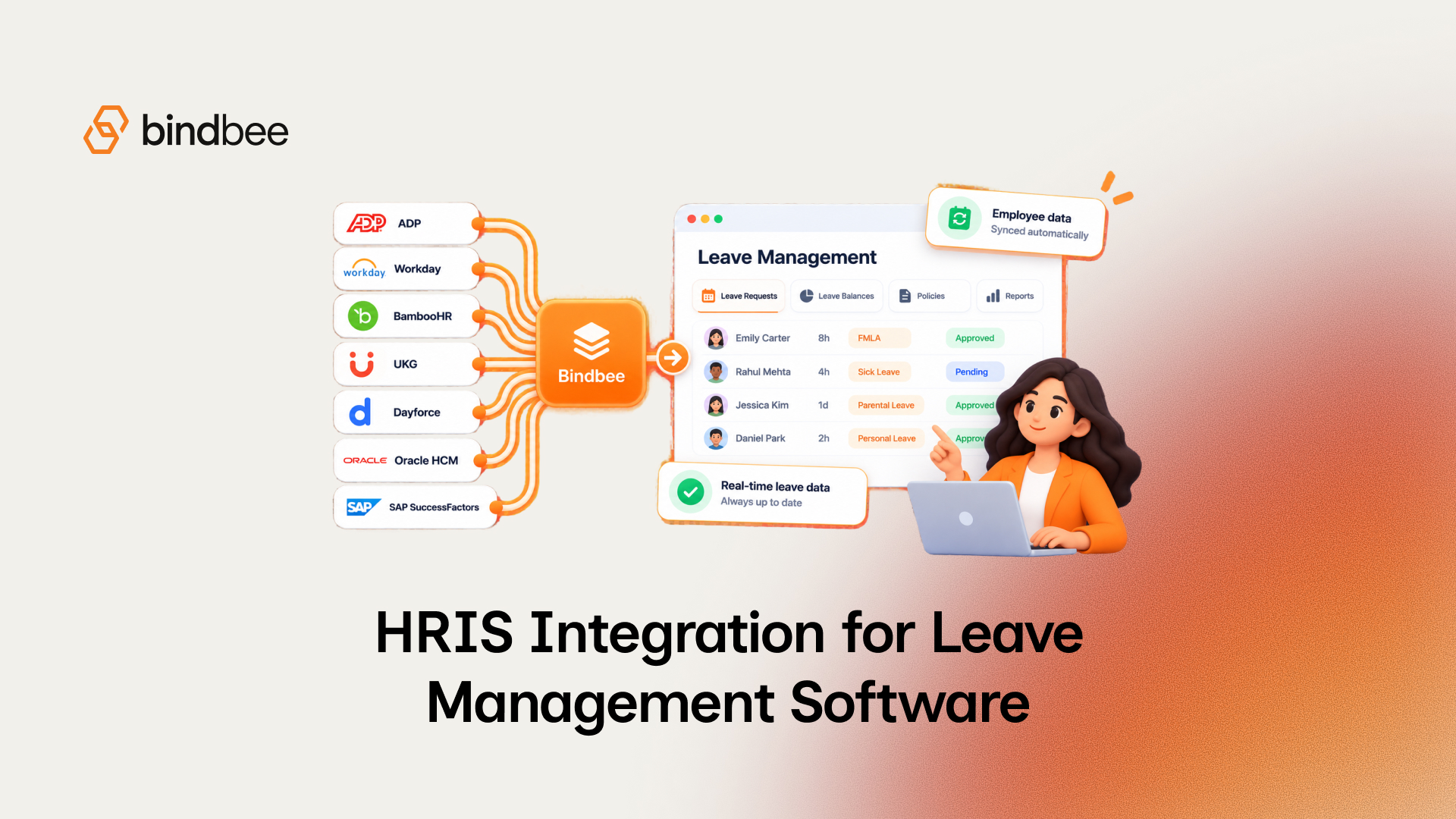
Bindbee is FMLA-ready. It gives leave-management platforms one API to the 110+ HRIS, payroll and benefits systems their employer customers run, covering the 40+ unified models above, including timesheet entries, time off and time-off balances. Writes are supported, time off among them, and vary by connector; the Model Support Reference lists them per integration.
Bindbee syncs each connector every 24 hours by default, and the schedule can be changed on request. When a sync finishes, a webhook names the records that changed. That tells you a sync found a change; it can't tell you whether the source moved after the sync ran, so check the record's sync time before it feeds a notice deadline or a payroll cutoff.
Run one complete case in a demo: source evidence arrives, a reviewer decides, the right systems receive the result, and a later correction can be traced. To run that case against your customers' systems, map your HRIS and payroll requirements in a demo. The build side of this checklist is covered in How to automate FMLA eligibility verification and How to build an automated FMLA tracking system.
FAQ
What integrations does FMLA leave software need?
At minimum, the HRIS for employment history and work location, a time system for hours actually worked, and payroll for leave codes and paid periods. Benefits and disability-carrier connections are needed when the software manages coverage or coordinates with short-term disability.
Can an HRIS API tell me hours worked for the 1,250-hour test?
Often, through timesheet records, but only where the employer's system tracks time and the module is licensed. Hours paid from payroll are a different number and shouldn't be used for the test.
Is an HRIS leave balance the same as remaining FMLA entitlement?
No. An HRIS balance reflects the employer's own leave policies. FMLA entitlement depends on the designated leave, the employer's 12-month method and the employee's schedule, so your software has to calculate it.
How fresh does HRIS data need to be for FMLA deadlines?
Fresh enough for the decision it feeds. Record when each value was synced, and refresh before an eligibility notice or payroll cutoff if the last sync is older than your tolerance.