How to automate FMLA eligibility verification
Summarise the blog with AI
Last verified: October 13, 2026
Key takeaways
- FMLA verification needs dated evidence from employment, hours, worksite, and leave-intake sources. A current employee row alone falls short.
- Employer coverage and employee eligibility are separate checks, and both come before any leave designation.
- An apparent threshold failure needs review. Missing hours need an explicit insufficient-evidence state instead of a zero.
- A reviewed result enters a separate, deadline-aware notice workflow even if other leave questions remain open.
- Keep reconstructable calculation evidence in a record that never holds medical documents.
- Accept a connection against the fields and freshness your input contract requires.
You can automate the calculation behind FMLA eligibility. A Boolean over the current employee record isn't enough to do it.
Here is the failure that catches most teams. A leave platform pulls an employer's timesheets to check the 1,250-hour test and gets back nothing. On many HR platforms, time tracking is a separately licensed module with its own permission, so an empty response usually means the data isn't reachable, not that the employee worked zero hours. Treat that as zero and the system issues a wrong ineligibility finding.
The same pattern runs through every test. A current record can omit earlier service. A payroll total can include time that wasn't worked. The pipeline has to join employment history, worked hours, worksite assignments and leave intake, return either an explained calculation or a review state, and hand the reviewed result to separate notice and record workflows.
This guide turns that pipeline into an input contract, an exception queue and a release test for a leave-management product. The underlying rules are covered in full in FMLA eligibility requirements: the rules and the data each test needs.
Map each eligibility test to a source and date
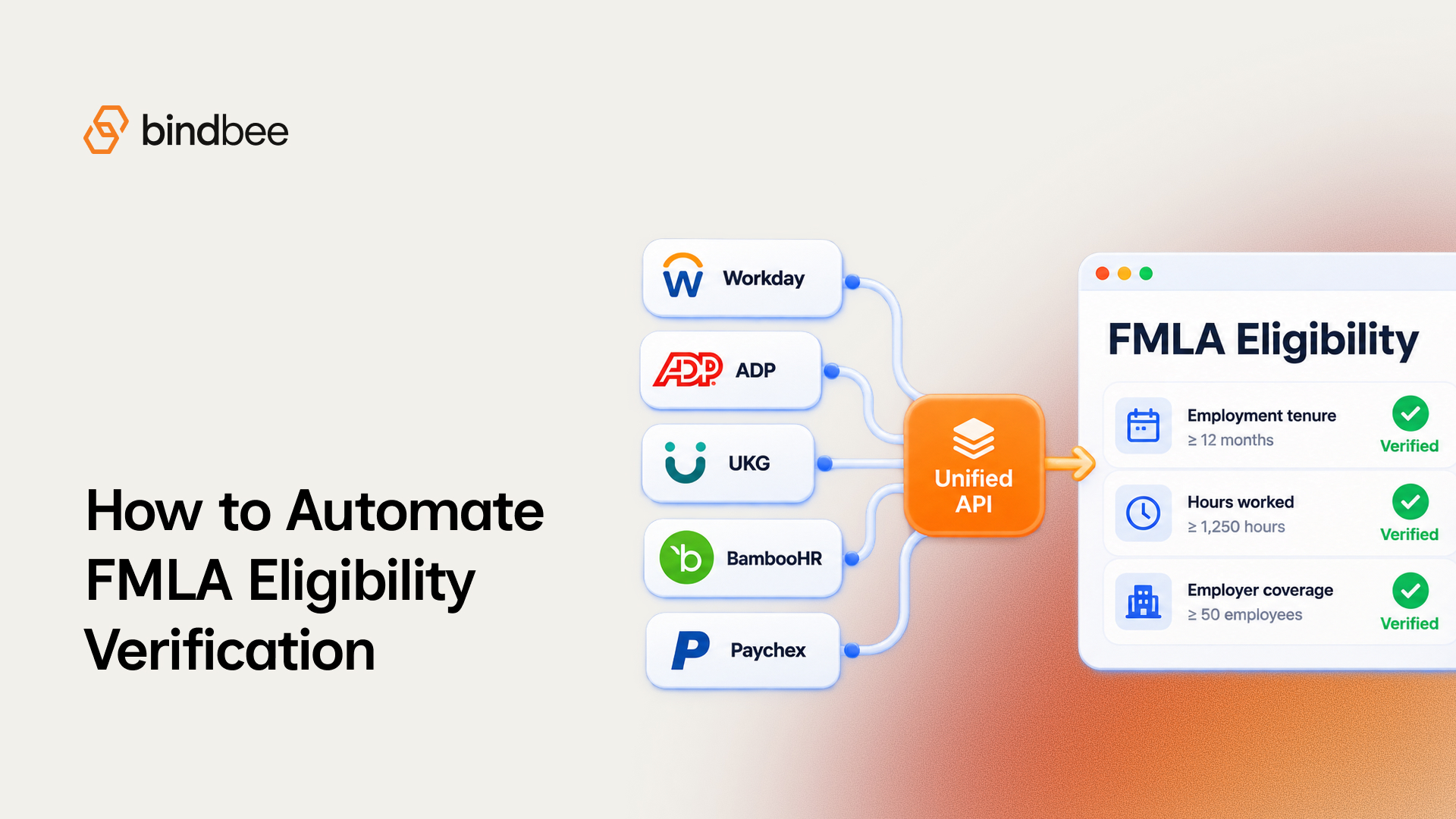
Check employer coverage before employee eligibility, and keep the evidence for each. DOL's Field Operations Handbook defines private-employer coverage as 50 or more employees on each working day for 20 or more workweeks in the current or preceding calendar year; public agencies and elementary or secondary schools are covered regardless of headcount. The standard employee tests are 12 months of employment, 1,250 hours worked in the preceding 12 months, and 50 employees within 75 miles of the worksite.
Each test also needs a source, an assessment date and a review trigger:
Two details break naive calculators. Service before a break of seven years or more may be excluded unless USERRA-covered service or a qualifying written rehire agreement applies, so the calculator needs every employment interval. And the date fields have to stay separate: tenure and hours are assessed at leave start, the geographic count at notice, and the source retrieval time is a third value that records which data you used.
Route most federal employees (OPM's Title II framework) and airline flight crews (special hours rule) to their own rules owner. An established eligibility determination also persists for the same qualifying reason during the applicable 12-month period, so a new daily ingestion event alone is no reason to revoke it.
Interpret remote worksites, routes, and military service
A residential address never establishes a teleworker's FMLA worksite. DOL's Field Assistance Bulletin No. 2023-1 identifies the reporting or assignment office as the worksite, and teleworkers assigned there count toward its employee total. Record each interpretation as an explicit input decision:
For the geographic test, use the assignment and roster in effect when the employee gave notice. For service credits, apply reviewed months and hours to the tenure and hours assessments at leave start. A missing pre-service schedule goes to review; it is never proof that no hours should be credited.
Return uncertainty instead of a false negative
An incomplete hours feed must never default to zero. DOL's Field Assistance Bulletin No. 2023-1 says an employer without accurate hours records bears the burden of showing that an employee did not meet the hours requirement. Completeness belongs in the result itself.
Use these as recommended application states; they are design choices, separate from the statutory notices:
A verified record of zero worked hours is different from no accessible hours record. Here is what that looks like against Bindbee's timesheet endpoint:
Store the result with the period covered, the source, its retrieval time and any excluded time codes. Give uncertain and apparent adverse results a named reviewer and a deadline-aware escalation path, so nothing sits in the queue past the notice clock.
Hand reviewed results to the notice workflow
The eligibility calculation and the employer's notice are separate events. Under 29 CFR §825.300, the eligibility notice is generally due within five business days of an employee's leave request or the employer learning of a potentially qualifying need, absent extenuating circumstances. A written rights-and-responsibilities notice goes with it. If the employee is ineligible, the notice gives at least one reason.
Give the handoff distinct events and owners:
- Capture intake, keeping when the employee gave notice and when the employer learned of a potentially qualifying need as separate events.
- Send apparent failures and insufficient evidence to HR with the calculation, its sources and the open question. A provisional state never becomes an automatic approval or denial.
- Have the employer's HR owner review and deliver the eligibility and rights-and-responsibilities notices, recording the reason for any ineligibility finding.
- Keep qualification information, any certification workflow, the designation decision and leave-balance accounting in later, separate steps.
The same rule sets the designation notice: generally within five business days after the employer has enough information to decide whether the leave qualifies, absent extenuating circumstances. DOL's WH-381 prototype covers eligibility and rights and responsibilities; WH-382 is the designation prototype. Neither is the employee's medical certification.
Each notice should trace back to the reviewed result that produced it.
Keep the decision record apart from medical files
Under 29 CFR §825.500, specified records must be kept for at least three years and be available for DOL inspection, in no particular order or form. Medical certifications, recertifications and histories are confidential medical records kept apart from ordinary personnel files.
Separate the required record categories from the extra evidence that makes your calculation reproducible:
The recommended rows answer an engineering question: can an authorized reviewer reproduce the result from the inputs and rules available when the decision was made, without opening a medical file?
Choose a connection against the input contract
Once you know which intervals, hours classifications, assignments and rosters you need, decide how to get them. Compare approaches by who owns access, freshness and exceptions:
Whichever you pick, the acceptance test inspects real records, time ranges and classifications before the eligibility service relies on them. For Bindbee, the inputs map to these models:
On freshness, Bindbee syncs each connector every 24 hours by default, and the schedule can be changed on request. When a sync finishes, a webhook names the records that changed. That tells you a sync found a change; it can't tell you whether the source moved after the sync ran, so compare the record's sync time against the assessment date before relying on it.
Validate before relying on the workflow
Run the service in shadow mode while HR keeps making determinations. Reconcile its outputs against reviewed source evidence, and assign an owner to every discrepancy. Use a release checklist tied to the input contract:
- Test values below, at and above each threshold using the correct assessment date.
- Test nonconsecutive employment, classified worked time, repeat requests for the same qualifying reason, and reviewed military-service credits.
- Test remote assignments, assigned-office counts, route evidence and unresolved geographic inputs.
- Test missing, inaccessible, stale and verified-zero hours, and confirm that uncertainty reaches a reviewer.
- Test intake events, notice ownership, later designation events, and reconstruction of a reviewed decision without opening medical files.
- Check each connection's accessible fields, historical ranges and update timing against the contract before accepting it.
A passing calculation is useful when you can reproduce its evidence and show where a disputed input went for review. Once a case is designated, tracking the leave itself is covered in How to build an automated FMLA tracking system, and the checks employer buyers will run on your product are in FMLA leave management software: the integration requirements to test.
Where Bindbee fits
Bindbee is FMLA-ready. It gives leave-management platforms one API to the 110+ HRIS, payroll and benefits systems their employer customers run, returning the worked hours, leave requests, balances, employment records and work locations in the table above. Your application keeps the FMLA rules, the geographic interpretation, review, notices and record handling; Bindbee keeps the connections to each employer's systems working.
If you are building this service, walk through the required fields, custom mappings and sync timing with us.
FAQ
Can FMLA eligibility be fully automated?
The calculation can. The determination stays with the employer: apparent failures and incomplete evidence should go to an HR reviewer before any notice is sent.
Why does an HRIS return no timesheets for some employers?
Time tracking is often a separately licensed module with its own permission. An empty response usually means the data isn't reachable, so the eligibility service should return an insufficient-evidence state.
Which dates does an eligibility check need?
Three: the leave-start date for tenure and hours, the notice date for the 50-employees-within-75-miles count, and the retrieval time that records which data you used.
Does a rehire's earlier service count?
Usually. Employment months need not be consecutive, and earlier service counts unless the break was seven years or more, with exceptions for USERRA service and written rehire agreements.