How to build an automated FMLA tracking system
Summarise the blog with AI
Last verified: October 13, 2026
Key takeaways
The build rests on these decisions:
- Every balance needs reviewed case evidence behind it: what was requested, what was designated, and what was used.
- Notices and certification requests need separate event-triggered clocks, with exceptions and adverse decisions routed to an employer reviewer.
- An effective-dated leave-year policy decides which usage belongs in the entitlement window, so a calendar-year reset can't be assumed.
- Eligibility uses actual service hours, while proportional usage uses scheduled hours. Each needs its own field.
- A webhook says a sync found a change; validate the retrieved record before it feeds an assessment or calculation.
- Release tests must prove corrections, calculation branches, restricted access, and safe review transitions, beyond displaying a balance.
An automated FMLA tracker can count absences. That is the easy part. The system also has to explain why an absence was designated, which policy window applied, and which schedule produced the amount charged.
If a request arrives outside a form, the case still needs review. If a schedule changes, the calculation needs the right version. If a source record is missing, the screen should show a review state where a number would otherwise be.
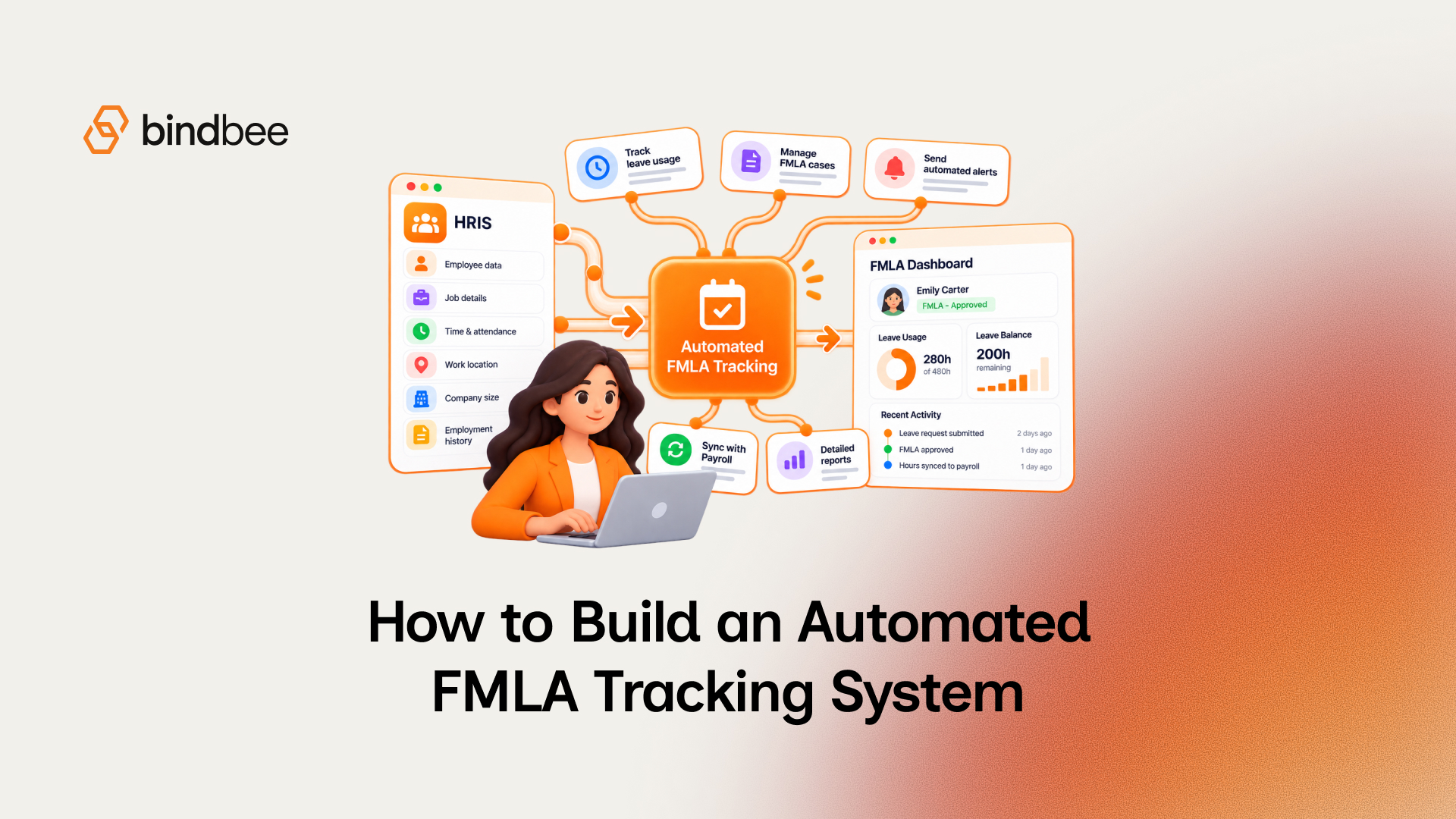
Build the application around preserved evidence, employer-owned decisions, dated policy configuration, validated workforce inputs and testable posting rules. Integrations supply inputs. The application decides what it can calculate, what it can't yet know, and what a leave administrator needs to review.
Preserve a case you can reconstruct
Start with a record contract and let the balance fall out of it. A balance is the result of case decisions and usage transactions under a particular policy, so rebuilding it means keeping the inputs and decisions behind each posting, including later corrections.
29 CFR §825.500 requires specified employer records to be kept for at least three years and be available for Department of Labor inspection and copying, in no particular format. Its categories include payroll and identifying data, designated leave dates and sub-day hours, written notices, benefits and leave-policy documents, premium payments, and designation disputes. The table turns those obligations and the calculation workflow into application records; the object names are design recommendations.
Keep requested leave, designation status, and actual usage separate. An employee can report an absence before the employer designates it, and one designated case can hold many usage transactions. Collapse them into one balance and you lose track of whether a discrepancy came from intake, review or posting.
For each proposed usage transaction, store the employer, employee and case identifiers; absence date and recorded timestamp; duration; schedule and policy references; source provenance; reviewer or action identity; and any correction relationship. Make a correction a linked reversal and replacement. A reviewer can then see both what the application first posted and why the result changed.
The access boundary is specific. Under §825.500, certifications, recertifications and medical histories are confidential records kept apart from usual personnel files. Notice copies may sit in personnel files, and supervisors may receive necessary work-restriction or accommodation information. So label medical records precisely: a manager who needs a work restriction gets the restriction, and the certification stays restricted.
Store retrievable notice and document references with access controls that fit their record class. The application doesn't need a copy of every upstream payroll record; it needs a way to retrieve the required evidence for retention, inspection and a later explanation of the case.
Turn potential leave into reviewed decisions and timed tasks
A potential FMLA case starts when the employer has enough information to recognize a possible need for leave, whether or not anyone submitted a form labeled "FMLA." For a first qualifying reason, the employee need not name FMLA; for a previously protected reason, the employee must refer to the qualifying reason or the need for FMLA leave. Route employee, manager and HR intake into a reviewed case, and let the employer reviewer decide whether the information is sufficient.
Under 29 CFR Part 825, employer coverage, employee eligibility, the reason for leave, documentation and designation are distinct questions. Give each assessment its date, evidence, unresolved inputs, reviewer and outcome, and use input states such as satisfied, not satisfied, and unknown. Unknown creates a review task. The coverage and eligibility tests themselves, with their assessment dates and data contract, are covered in How to automate FMLA eligibility verification; this build consumes that service's reviewed result.
Each task starts from a trigger. The application states below are proposed controls; the clocks and exceptions come from the regulation. Every row should also record its reviewer and persist the evidence it names.
An eligibility notice and its written rights-and-responsibilities notice travel together. A designation notice has a different trigger: enough information to decide whether the leave qualifies. So "how long to review the paperwork?" has no single timer. Employer notice clocks run in business days from their own triggers; certification return and cure periods run in calendar days.
Certification depends on the leave reason. Medical certification can't be required for healthy-child bonding leave, although reasonable family-relationship documentation or a statement may be requested. Where medical certification is required, accept an otherwise sufficient certification in a different format. Sufficiency depends on whether the information relates to the condition behind the current leave need, whatever template it arrives on.
An incomplete certification leaves applicable entries blank. An insufficient certification is vague, ambiguous or nonresponsive. For either, the employer states in writing what is needed and gives the cure period, subject to the diligent, good-faith impracticability exception. A certification that never comes back is a third state: failure to provide. Keep the three apart so each reminder names the problem the reviewer actually faces.
Recertification runs on events. For a health condition, it ordinarily may be requested no more often than every 30 days in connection with an absence. A longer certified minimum duration generally controls, subject to a six-month request connected to an absence and the earlier-request exceptions for an extension, changed circumstances or doubt. Have the reviewer record the event and basis before another request goes out.
Some decisions can't be inferred from a timer or balance. Retroactive designation with appropriate notice is permitted when the delay caused no harm or injury, and employer and employee may agree to designate otherwise qualifying leave retroactively, so there is no fixed backdating window to encode. An unmet eligibility criterion, missing evidence and a qualifying-reason question are different review outcomes. When ordinary entitlement runs out, route the case for employer review: FMLA and ADA protections need separate analysis, and ADA accommodation rights may still apply.
Resolve the leave year before calculating availability
The employer's chosen 12-month period method decides which usage counts against up to 12 workweeks of ordinary entitlement. Make the method an effective-dated employer policy record, and have each transaction keep the policy version used to resolve it, so a later policy change leaves the explanation of an earlier balance intact.
29 CFR §825.200 permits these ordinary methods and a distinct military-caregiver period:
For rolling backward, calculate availability on the date in question by looking at qualifying leave in the immediately preceding 12 months. Entitlement comes back as older usage falls out of the window, which a stored "year-to-date used" total can't reproduce.
Unselected and changing methods need explicit handling. If no method was selected, the method most beneficial to the employee applies, so a missing configuration can never quietly become a calendar-year reset. A method change requires at least 60 days' notice and keeps the more beneficial entitlement during the transition, and a state-law method requirement may matter for a multistate employer. Record the change, notice, effective dates and transition review, and leave old transactions as they were.
The military-caregiver period gets its own starting event, window and combined cap. With the policy resolved, the application can check whether it has the workforce history it needs.
Validate workforce inputs before trusting them
An integration delivers evidence; the FMLA decision stays with the employer. For each required field, specify an authoritative source, effective date, retrieval timestamp, access scope, completeness check, and the action when the value is missing or stale. The acceptable freshness tolerance is an employer and application policy decision.
You can acquire records through direct provider integrations, a unified API, or employer-approved files and manual evidence. Use a field-level contract before choosing:
If the unified route is Bindbee, the contract maps onto these models:
Reading only approved requests looks like this. The status filter matters because the model tracks the approval process, and an unfiltered read counts leave that was declined or cancelled:
An approved request is still only a candidate for posting. Reconcile it against the case's designation before it touches a balance.
Freshness needs its own check. Bindbee syncs each connector every 24 hours by default, and the schedule can be changed on request. When a sync finishes, a webhook names the records that changed. A notification, a successful sync status and a retrieved schedule with a current effective date answer three different questions, so check the record you will actually use and send stale, conflicting or incomplete inputs to the reconciliation queue.
If a required field exists upstream but sits outside the unified model, custom fields, raw data or passthrough can reach it. Mapping can't create provider access or rebuild history that was never kept. For missing historical schedules or service-hour evidence, use employer-approved imports or review.
Calculate usage against the schedule that applied
Intermittent usage is a fraction of the employee's actual workweek. Under 29 CFR Part 825, Subpart B, divide qualifying leave hours by the hours the employee otherwise would have worked; the hourly equivalent must fairly reflect the normal schedule.
Picture an employee scheduled for five equal shifts who misses one qualifying shift. That absence is one-fifth of the workweek the employee otherwise would have worked. If the schedule changes before a later absence, use the schedule in effect for that absence, even within the same case. Service hours used in eligibility and scheduled hours used in this calculation remain separate inputs.
Each branch needs its own posting check:
A qualifying permanent or long-term schedule change made before notice of the leave need can change the baseline. Where expected weekly hours can't be determined with certainty, the rule uses the prior 12 months' average scheduled hours, including hours covered by leave. In both branches the employee's actual service hours stay with the eligibility question.
A single "exclude holidays and closures" switch would skip the leave-pattern and expected-work checks the posting decision depends on.
At posting, keep the absence evidence, schedule inputs and version, calculation branch, normalized usage result, governing policy reference, and reviewer or automated action. Validate the employer's intermittent increment against both the one-hour limit and leave actually taken. If the denominator is missing, schedules conflict, or a physical-impossibility rule may apply, send the transaction to review.
Prove the whole workflow before release
A correct formula can't rescue an unreviewed designation, an outdated schedule, or a task that turns an exception into a denial. Test the combined contracts with records a reviewer can inspect:
Release when the system can explain every result and stop safely when it can't. The balance comes from reviewed events, a dated policy and validated schedule evidence. If any of those is missing, the controlled outcome is a visible review state.
Where Bindbee fits
Bindbee is FMLA-ready. It gives leave-management platforms one API to the 110+ HRIS, payroll and benefits systems their employer customers run, returning the time-off requests, balances, worked hours, employment records and work locations this build reads, and accepting time-off writes back where the connector supports them. Your application keeps the case logic, the leave-year policy, the calculations and the employer's decisions.
If you are defining the workforce-data contract for this build, walk through the required inputs and integration fit with us. The requirements an employer buyer will test you on are in FMLA leave management software: the integration requirements to test.
FAQ
What data does an FMLA tracking system need from the HRIS?
Employment history, work location, leave requests with their approval status, and the employer's leave balances. It also needs worked hours from a time system and an effective-dated expected schedule for usage math.
How do you calculate intermittent FMLA leave?
Divide the qualifying leave hours by the hours the employee would otherwise have worked that week, using the schedule in effect for that absence. Charge in increments no larger than the employer's smallest increment for other leave and no larger than one hour.
What is the rolling 12-month method for FMLA?
On any date, the employee's available leave is 12 workweeks minus the qualifying leave used in the 12 months immediately before that date, so entitlement comes back gradually as older leave falls outside the window.
When does the seven-day certification cure period start?
The regulation gives seven calendar days to cure but doesn't name a start event. A safe design starts the clock no earlier than delivery of the employer's written deficiency notice and records both timestamps.