6 Best Unified API Integration Strategies and Examples

Summarise the blog with AI

You're expected to ship integrations with the HRIS, ATS, and payroll systems your customers already run on. But every new system adds weeks of engineering work, ongoing maintenance, and edge cases that never really go away.
Your roadmap slows down while your team chases API changes, fixes sync issues, and handles support tickets tied to broken integrations. What looks like a technical task quickly turns into a revenue problem.
A unified API changes that equation. Instead of building and maintaining dozens of integrations, you connect once and support multiple systems through one consistent layer. Your team spends less time fixing sync issues and more time improving the product. Onboarding speeds up, data flows stay consistent, and your sales team can confidently say yes to more prospects.
With the unified APIs market projected to grow to $22 billion by 2032, at a 15.32% CAGR, it’s clear that more businesses are turning to this approach to reduce complexity. This blog breaks down how unified APIs work, the strategies you can use to implement them, real-world examples, and what it takes to make them effective in a production environment.
Key Highlights:
- Unified APIs provide a single, consistent interface for connecting multiple external systems, reducing integration complexity and speeding up onboarding.
- Core components like data normalization, authentication handling, sync engines, error monitoring, and abstraction layers ensure reliable and scalable integrations.
- Strategies such as build vs buy, domain-specific vs generic APIs, read vs write-heavy models, and real-time vs batch syncing let you tailor integrations to product needs.
- Common challenges include data inconsistencies, API version changes, rate limits, security compliance, debugging difficulties, and dependency on third-party uptime.
- Best practices focus on clear use cases, prioritizing data accuracy, designing for failure, continuous monitoring, and aligning integrations with product goals.
What Is a Unified API and Why It Matters Today

A unified API acts as a single integration layer that standardizes how your product connects with multiple external systems. Instead of dealing with different APIs, formats, and authentication methods, you interact with one consistent interface.
Here’s why it matters:
- Customer expectations have shifted: HR Tech and benefits buyers expect integrations out of the box. If your platform doesn't connect with the HRIS, ATS, or payroll systems their employees already use, you lose the deal before it reaches legal.
- Integration timelines impact revenue: Building a single HRIS integration takes one to one-and-a-half months. Multiply that across Workday, ADP, UKG, and Rippling, and your roadmap stalls while competitors who already have those integrations close the deals you're losing.
- Maintenance becomes a hidden cost: APIs evolve constantly, forcing your team to apply fixes, updates, and monitoring that drain engineering resources.
- Engineering bandwidth is limited: Every new integration competes with your core product roadmap, slowing innovation and feature development.
- Scalability breaks with one-off builds: Managing a handful of integrations is feasible, but scaling to dozens creates complexity, technical debt, and operational risk.
- Speed drives competitive advantage: In HR Tech and benefits SaaS, the faster you support new payroll or HRIS systems, the quicker you close enterprise accounts, expand into new verticals, and reduce churn from customers asking "do you integrate with X?"
Core Components of a Unified API Architecture
A unified API isn’t just a connector. It’s a structured system that manages how data is translated, synced, and maintained across multiple platforms.
- Data Normalization Layer: Standardizes data from different systems into a single schema, so you don’t deal with inconsistent formats. This lets your application work with predictable, clean data across all integrations.
- Authentication and Authorization Handling: Centralizes different authentication methods like OAuth, API keys, and tokens into one flow. This reduces security risks and removes the need to manage credentials for each system separately.
- Sync Engine (Real-Time and Batch): Manages how data moves between systems using real-time updates for critical changes and batch processing for large datasets. This balance ensures both speed and efficiency.
- Error Handling and Monitoring: Detects failures, logs issues, and triggers retries automatically when something breaks. Instead of reactive debugging, you get proactive visibility into integration health.
- API Abstraction Layer: Acts as the single interface your application interacts with, hiding the complexity of underlying systems. This is what enables you to integrate once and scale across multiple platforms without rework.
Understanding its core components helps you evaluate solutions and design better integration strategies.

Also Read: How to Integrate with Multiple ATS Systems Effectively
Key Unified API Integration Strategies

There’s no single way to implement a unified API. The strategy you choose depends on your product stage, resources, and long-term goals.
1. Build vs Buy: Choosing the Right Approach
This decision defines how much control you retain versus how much speed you gain.
Building in-house gives you full ownership of integrations. But it also means handling multiple APIs, authentication systems, schema differences, and ongoing maintenance. That effort compounds quickly as you scale.
Buying a unified API shifts that complexity to a provider. You integrate once and get access to multiple systems with standardized data models and authentication.
Key considerations:
- Build if integrations are your core differentiator
- Buy if integrations are required, but not your product’s value
- Factor in long-term maintenance, not just initial build time
Example: A performance management SaaS initially builds integrations for Workday and ADP. As customers request more systems, the team spends more time maintaining integrations than shipping features. Switching to a unified API reduces new integration time from weeks to days.
2. Domain-Specific vs Generic Unified APIs
Not all unified APIs are designed for depth.
Generic unified APIs cover multiple categories (CRM, HR, payments). They work well for basic use cases but often expose only common data fields. This limits what your product can actually do.
Domain-specific APIs focus on one category, like HR and provide deeper data models and better normalization across similar systems.
Key considerations:
- Use generic APIs for broad, lightweight integrations
- Use domain-specific APIs for complex workflows and deeper data needs
- Evaluate data model coverage, not just the number of integrations
Example: A benefits platform using a generic API can fetch employee names and IDs — but hits a wall when it needs payroll deductions, dependent eligibility, or benefits cost-sharing data. A domain-specific HR API built for benefits workflows provides structured access to exactly that data, out of the box.
3. Read-Heavy vs Write-Heavy Integration Models
Not all integrations behave the same way. Some mostly read data, while others actively write back to source systems.
Read-heavy integrations focus on pulling data—employee directories, reports, analytics. These are easier to standardize.
Write-heavy integrations involve pushing updates—payroll changes, benefits enrollment, lifecycle events. These require higher reliability and deeper system compatibility.
Key considerations:
- Read-heavy → prioritize data consistency and availability
- Write-heavy → prioritize accuracy, validation, and error handling
- Ensure your unified API supports bidirectional workflows
Example: An LMS platform primarily reads employee roster data to assign training courses (read-heavy). A 401(k) provider writes contribution updates and demographic changes back into multiple payroll systems (write-heavy), requiring stricter validation, error handling, and sync accuracy.
4. Real-Time vs Batch Synchronization Strategy
Your sync strategy directly impacts data accuracy and user experience.
Real-time sync pulls or pushes data instantly from the source system. This is critical for workflows where delays create risk—like access provisioning or payroll updates.
Batch sync relies on scheduled updates (hourly, daily). It’s simpler but introduces lag and potential inconsistencies.
Key considerations:
- Use real-time sync for time-sensitive workflows
- Use batch sync for reporting or non-critical updates
- Avoid relying only on batch if your product depends on current state data
Example: A benefits platform needs real-time payroll deduction updates to reflect enrollment changes immediately, delays cause errors that damage employer trust. An HR analytics dashboard, on the other hand, can run nightly batch syncs without affecting the user experience.
5. Abstraction vs Depth Strategy
A unified API simplifies integrations by abstracting differences, but abstraction has limits.
High abstraction means you work with a clean, standardized schema across all systems. This speeds up development but may hide system-specific capabilities.
More depth gives you access to detailed, provider-specific data—but increases complexity.
Key considerations:
- High abstraction → faster development, limited flexibility
- More depth → greater control, higher complexity
- Choose based on whether your product needs standardization or customization
Example: A lightweight HR tool only needs standardized employee data; abstraction works well. A compensation platform requires detailed payroll fields, requiring deeper access beyond the unified schema.
6. Integration as a Product Strategy
Integrations are no longer just technical requirements—they influence revenue.
When integrations are treated as a core product capability, they directly impact:
- Sales cycles
- Customer onboarding speed
- Expansion into new markets
A unified API enables you to scale integrations without scaling engineering effort, turning integrations into a competitive advantage instead of a bottleneck.
Key considerations:
- Prioritize integrations based on deal impact
- Use integrations to enter new customer segments
- Align the integration roadmap with sales and product strategy
Example: A benefits platform starts losing deals because it lacks integrations with key payroll providers. By adopting a unified API, it instantly supports multiple systems, reducing sales friction and increasing win rates.
Common Challenges in Unified API Integration
Unified APIs make integrations easier, but they don’t eliminate challenges entirely. Understanding these issues helps you plan more effectively.
Here are the most common challenges you’ll run into:
- Data inconsistencies across systems: Different platforms' structures interpret data differently, which can lead to mismatches if normalization isn’t handled properly.
- Frequent API changes and versioning: Third-party APIs evolve constantly, and without careful handling, updates can break integrations or require ongoing fixes.
- Rate limits and performance constraints: Many systems restrict API usage, which can slow down data syncing or cause failures during high-volume operations.
- Security and compliance requirements: Handling HR and payroll data requires strict adherence to standards like SOC 2 or HIPAA, adding complexity to integration workflows.
- Limited flexibility in some unified API solutions: Some platforms make integrations easier but lack the depth needed for complex or edge-case workflows.
- Debugging and visibility issues: When something breaks, finding the root cause across multiple systems can be difficult without centralized monitoring.
- Dependency on third-party uptime: Your integration reliability depends on external systems, meaning outages or delays on their end can affect your product experience.

Also Read: HRIS Integration APIs: Connect HR Systems Like a Pro in 2026
Best Practices for Implementing Unified API Integration
A unified API delivers value only when implemented correctly. Poor execution can recreate the same problems you’re trying to solve.
These best practices help you get it right from the start.
- Start With Clear Use Cases: Don’t integrate everything at once. Identify your most critical use cases, whether it’s employee data syncing, payroll automation, or onboarding. This keeps your implementation focused and reduces unnecessary complexity.
- Prioritize Data Accuracy Over Speed: Fast integrations are valuable, but inaccurate data can cause bigger problems. Make sure your data mappings are correct and validated before scaling.
- Design for Failure: Integrations will fail at some point. Build systems that can handle retries, fallbacks, and error handling without breaking your application.
- Monitor Continuously: Visibility is critical. Use monitoring tools to track performance, detect issues, and keep things running smoothly over time.
- Align Integration Strategy With Product Goals: Your integration strategy should support your product roadmap, not slow it down. If integrations are consuming most of your engineering bandwidth, it’s time to rethink your approach.
How Bindbee Helps Simplify Unified API Integration
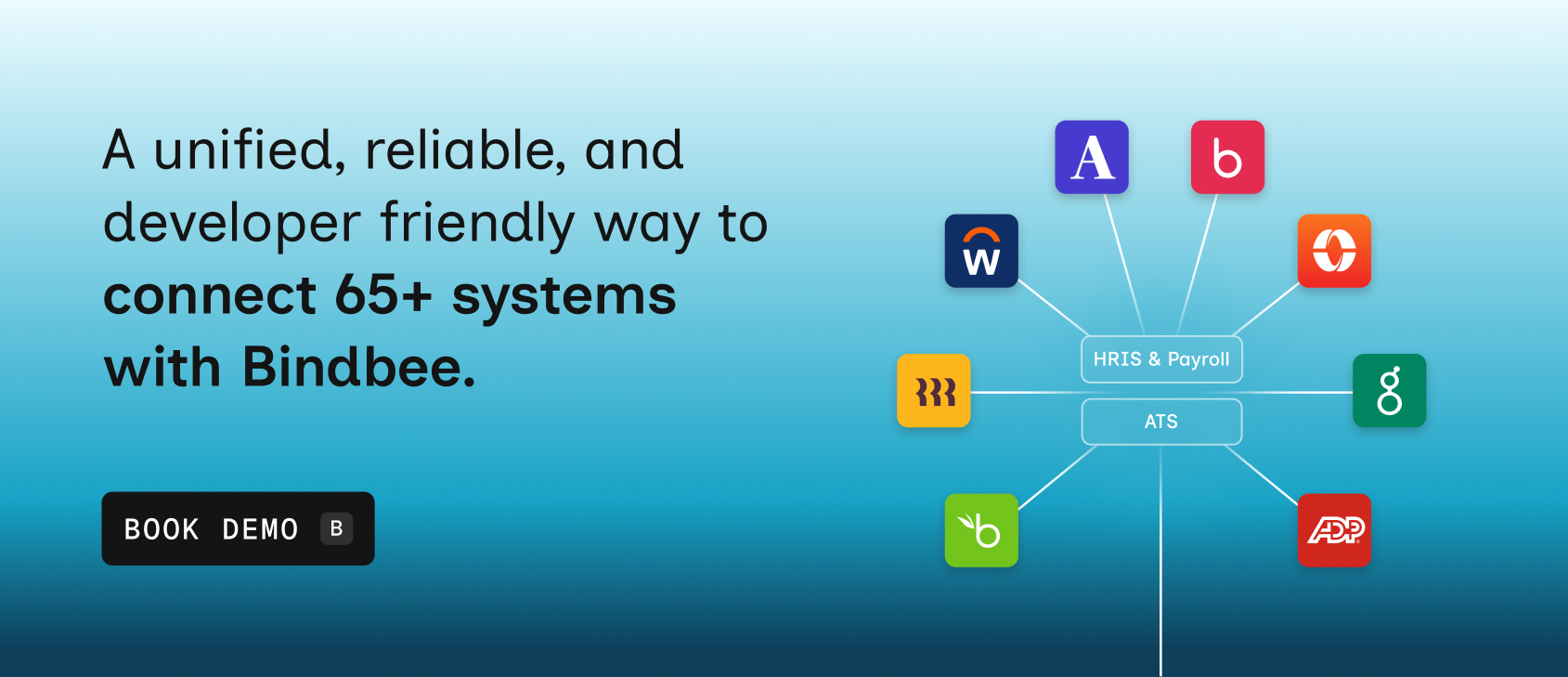
Bindbee provides a unified API across 65+ HR systems, allowing you to connect with multiple HR systems through a single interface.
Instead of building and maintaining integrations internally, you rely on a system that’s already optimized for scale, reliability, and compliance.
Here’s how we can help you:
- Prebuilt, production-ready integrations: Skip months of development work with ready-to-use connectors that let you go live in minutes instead of weeks or quarters.
- Standardized and deeply normalized HR data: Bindbee ensures consistent schemas across employee, payroll, and benefits data, so your product works with clean, predictable datasets across all systems.
- Real-time sync with webhooks and monitoring: Data updates instantly across systems with built-in alerts, logs, and retries, reducing manual intervention and preventing silent failures.
- Handles API maintenance and versioning for you: You don’t need to track API changes or fix broken integrations, Bindbee manages updates behind the scenes so your team can focus on product development.
- Built for compliance-heavy HR ecosystems: With SOC 2, HIPAA, GDPR, and CCPA readiness, Bindbee lets you handle sensitive employee and payroll data without adding compliance overhead.
- Faster onboarding and implementation timelines: Customers can connect their systems in minutes, enabling faster go-lives and reducing delays in onboarding new accounts.
- Scales with your product and customer base: Whether you’re onboarding startups or enterprise clients, the infrastructure supports high-volume data syncing without added engineering complexity.
- Developer-friendly with low-code deployment options: SDKs, documentation, and drop-in components reduce engineering effort while still allowing flexibility for custom workflows.
- Centralized visibility into integrations and issues: Dashboards, logs, and error tracking give your team full control and insight without digging into individual integrations.
With Bindbee, the platform integrates once and accesses all required data through a standardized schema. Onboarding becomes faster, errors decrease, and engineering resources are freed up.
Conclusion
Managing integrations through individual builds doesn’t scale. It slows your team down, increases maintenance overhead, and creates gaps that cost you deals. Unified APIs solve this by turning integrations into a reusable, scalable layer instead of a recurring problem.
The strategies you choose, whether it’s build vs buy, real-time vs batch syncing, or domain-specific APIs, determine how effectively you can scale. When implemented correctly, unified APIs reduce complexity, improve data reliability, and free your team to focus on what actually drives growth.
If integrations are starting to limit your product velocity or sales pipeline, it’s worth rethinking your approach. Tools like Bindbee give you a way to scale integrations without scaling your engineering workload.
Book a demo and see how Bindbee can simplify your integration strategy.
FAQs
1. What are the key security and compliance considerations when integrating via a unified API?
Security and compliance require strict encryption, secure API keys, and OAuth protocols. Ensure data privacy through GDPR, CCPA, or industry-specific regulations. Regular audits, access controls, and monitoring are essential to prevent breaches and maintain compliance across all integrated services.
2. How do unified APIs handle authentication and authorization across different third‑party services?
Unified APIs typically standardize authentication using OAuth 2.0 or API keys, while mapping service-specific tokens internally. They handle authorization by managing scopes and permissions centrally, ensuring consistent access control, and simplifying integration without exposing sensitive credentials to client applications.
3. What are event‑driven vs polling‑based integration patterns in a unified API context?
Event-driven integration reacts to real-time changes via webhooks or push notifications, reducing latency and resource use. Polling-based integration periodically checks for updates, which can be simpler but may incur delays and higher overhead. Unified APIs often support both patterns depending on system needs.
4. What logging and observability strategies are recommended for unified API integrations?
Implement centralized logging, structured event tracking, and correlation IDs. Monitor request/response cycles, latency, and errors. Use dashboards, alerts, and tracing tools to gain visibility into API performance, detect anomalies early, and ensure smooth operation across all connected services.
5. How can you design a unified API strategy for multi‑tenant SaaS products?
Design tenant-aware endpoints with data isolation and role-based access. Use scalable authentication, rate limiting, and configurable integrations per tenant. Ensure observability, error handling, and secure token management to maintain performance, security, and smooth user experience across multiple tenants.