Product that suits modern B2B Tech companies

Book Demo
B
BACK
B

Software Integration Examples and Key Insights
Integration Strategy
May 13, 2026
Summarise the blog with AI
Open in ChatGPT
Ask questions about this page
Open in Claude
Ask questions about this page

You are expected to ship integrations that your customers already rely on, but each new HRIS, payroll, or ATS system slows you down. What looks like a simple API connection turns into weeks of engineering effort, constant fixes as vendor APIs change, and messy data that never fully lines up.

Your team spends more time maintaining integrations than improving your core product. In fact, 93% of teams reported API collaboration challenges that caused delays, duplicated work, and integration inefficiencies. Meanwhile, your sales team feels the impact. Deals stall or disappear because you cannot support the systems prospects already use.

Teams that move faster handle integration differently. Instead of building everything in-house, they standardize how systems connect and rely on proven approaches drawn from real software integration examples. With the right strategy, you reduce build time, avoid repeated maintenance, and give your product immediate compatibility with the tools your customers already use. 

This guide walks you through how software integration works, how to implement it effectively, the strategies that scale, and where most teams go wrong.

In a nutshell:

  • Software integration connects different systems into a unified workflow, reducing manual work, improving data accuracy, and speeding up onboarding.
  • Integration approaches vary from point-to-point and middleware to API-based and unified APIs, each with trade-offs for scalability and maintenance.
  • Effective implementation requires defining data needs, mapping fields consistently, choosing the right model, testing thoroughly, and setting up monitoring for continuous updates.
  • Successful strategies focus on standardizing data models, real-time syncing, designing for change, building observability, and treating integrations as a key product feature.
  • Common challenges include siloed systems, long development cycles, constant API changes, engineering bandwidth drain, scalability issues, and lost deals from unsupported systems.

What is Software Integration and Why It Matters

Software integration is the process of connecting different systems so they can exchange data and work together as a single workflow. Instead of operating in silos, your tools, HR systems, payroll platforms, and benefits software become part of a unified ecosystem.

Here’s why it matters:

  • Reduces manual work: Your team and your customers no longer need to export, upload, or reconcile data manually, which cuts down errors significantly.
  • Improves product adoption: When your product integrates easily with existing tools, customers can start using it faster without changing their workflows.
  • Speeds up onboarding: Instead of spending weeks setting up integrations, you enable faster implementation and quicker time-to-value.
  • Supports scalability: As you grow, integrations allow your product to fit into more environments without rebuilding functionality every time.
  • Improves data accuracy: Real-time syncing ensures that updates, like employee roster changes, payroll adjustments, or benefits eligibility updates, reflect instantly across systems.
  • Impacts revenue directly: If you don’t support a prospect’s existing system, you risk losing the deal—regardless of how strong your core product is.
  • Frees up engineering resources: Instead of building and maintaining integrations, your team can focus on features that differentiate your product.

Types of Software Integration

Types of Software Integration

Different integration approaches exist, and choosing the wrong one often leads to scalability issues later. Understanding the types helps you align your architecture with your growth plans.

Here are the most common types you’ll encounter:

1. Point-to-Point Integration: This is the most basic approach, connecting two systems directly. It works for small setups but quickly becomes unmanageable as you add more integrations. Every new system means a new connection, more maintenance, and more failure points.

2. Middleware Integration: Middleware acts as a bridge between systems, helping manage data flow centrally. It reduces complexity compared to point-to-point, but still requires significant setup and ongoing management.

3. API-Based Integration: APIs allow systems to communicate in real time. This is the most common modern approach and forms the backbone of scalable integrations. However, building and maintaining multiple API integrations is still resource-intensive.

4. Unified API Integration: This is where things shift. Instead of building separate integrations for each platform, a unified API lets you integrate once and access multiple systems. It standardizes data models and removes the need to handle each vendor’s API individually.

Each type has trade-offs. The key is aligning your choice with your product roadmap and customer requirements, not just short-term convenience.

Also Read: Software Integration: Essential Concepts and Importance

How to Implement Software Integration?

Implementation is where most teams underestimate the effort. Integration isn’t just about connecting APIs; it’s about ensuring data flows correctly, consistently, and in real time.

A typical implementation involves several critical steps

  1. Define Data Requirements: Start with what data you actually need, employee records, payroll details, benefits eligibility, dependent data, or lifecycle events like hires, exits, and promotions. Overbuilding integrations adds unnecessary complexity.
  2. Map Data Across Systems:  Different systems structure data differently. You need to normalize fields (e.g., job titles, compensation, PTO policies) so they align across platforms.
  3. Choose the Right Integration Model: Decide whether you’ll build in-house, use middleware, or adopt a unified API approach. This choice affects long-term scalability and maintenance.
  4. Build and Test Integrations: Testing isn’t optional. You need to validate edge cases—missing data, incorrect formats, and sync failures.
  5. Set Up Monitoring and Error Handling: Integrations break. APIs change. Systems go down. You need monitoring, retries, and alerting to maintain reliability.
  6. Maintain and Update Continuously: Integration isn’t a one-time project. Vendor APIs change, and your integrations must adapt regularly.

In real-world scenarios, this process can take weeks per integration. That’s why many teams struggle to scale; engineering bandwidth gets used for integration work instead of core product development.

Book A demo

A structured approach helps you avoid rework and long-term maintenance issues.

Key Insights from Successful Software Integrations

Key Insights from Successful Software Integrations

Execution alone isn’t enough. You need a strategy that drives growth, lowers risk, and keeps your engineering team focused on core product development.

1. Evaluate Build vs Buy Honestly

Most teams default to building integrations in-house. It feels like control. In reality, it often becomes a long-term maintenance burden that compounds with every new system you support.

Before deciding to build, evaluate the full lifecycle cost—not just development.

What to consider:

  • Engineering time per integration (often 4–6 weeks)
  • Ongoing maintenance as APIs change
  • Debugging and edge case handling
  • Opportunity cost (what your team is not building)

Example: You build a custom integration with a payroll provider. It works initially, but when the API changes, your team spends days fixing sync issues—delaying other product releases.

2. Standardize Your Data Model Early

Every HR system structures data differently. If you don’t standardize early, you’ll end up writing custom logic for each integration—making your system harder to maintain.

A unified data model ensures consistency across systems and reduces repetitive data transformations.

What to focus on:

  • Normalize core HR objects (employee, compensation, PTO, payroll deductions, dependent records)
  • Define consistent field structures
  • Avoid system-specific logic in your core product

Example: One HRIS uses “base_salary” while another uses “annual_comp.” Without standardization, you build separate mappings. With a unified model, both map into a single consistent field.

3. Prioritize Real-Time Syncing

Batch syncing creates delays. Delays create inconsistencies. And inconsistencies lead to operational issues that your customers have to fix manually.

Real-time syncing helps your product reflect accurate data when it matters most.

Where it matters most:

  • Payroll and deductions
  • Employee lifecycle events (hire, exit, promotion)
  • Benefits eligibility updates and dependent syncing

Example: An employee update in the HRIS doesn’t reflect in your platform until the next batch sync. This leads to incorrect payroll deductions—creating support tickets and trust issues.

4. Design for Change, Not Stability

APIs are not stable. Vendors update endpoints, change schemas, and introduce new requirements. If your system isn’t built for change, it will break—often silently.

Designing for change means expecting instability and planning for it.

How to approach it:

  • Implement version handling
  • Build flexible data mappings
  • Add retry mechanisms for failed syncs
  • Plan for backward compatibility

Example: A payroll provider updates its API version. Without version handling, your integration fails. With a flexible design, your system adapts without disrupting customers.

5. Focus on Time-to-Value

Your customers don’t measure integration quality by architecture. They measure it by how quickly they can start using your product.

The faster you onboard, the faster you deliver value—and close revenue loops.

Ways to improve it:

  • Reduce integration setup time
  • Use prebuilt connectors where possible
  • Simplify authentication and data mapping

Example: A benefits platform takes 3 weeks to onboard a new employer because the integration setup is manual. With prebuilt connectors and a standardized data model, it drops to a few days, improving employer activation rates and accelerating revenue.

6. Build Observability into Your System

Integrations fail when teams don’t detect issues immediately.

Without observability, issues go unnoticed until customers report them—by then, damage is already done.

What to include:

  • Real-time monitoring dashboards
  • Error logging and alerts
  • Retry and fallback mechanisms
  • Visibility into sync status

Example: A data sync fails overnight, but no alert is triggered. The issue is discovered only after payroll errors occur. With observability, your team would have fixed it before impact.

7. Treat Integration as a Core Product Feature

Integrations are no longer backend plumbing. For HR Tech and benefits companies, they are often the deciding factor in a buying conversation.

If your integrations are weak, your product feels incomplete, no matter how strong your core features are.

Shift your mindset:

  • Treat integrations as part of your product experience
  • Prioritize them in your roadmap
  • Measure their impact on sales and retention

Example: A prospect chooses a competitor—not because of better features, but because they already support the HRIS the prospect uses.

When you apply these strategies together, integration stops being a bottleneck and becomes a driver for growth.

Book A Demo

Also Read:  Third-Party Integration Guide: Setup, APIs & Best Practices

Common Challenges in Software Integration

Even with the right strategy, integration comes with challenges. Recognizing them early helps you prepare better and avoid costly mistakes.

  • Siloed Systems and Data Inconsistency: Disconnected systems force teams to manually reconcile data, leading to errors and inefficiencies. Integrated systems reduce duplication and increase accuracy.
  • Long Development Cycles: Building one integration can take weeks. Multiply that by multiple systems, and your roadmap slows down significantly.
  • Constant API Changes: Vendors update APIs frequently. Without proper monitoring, integrations break silently—leading to data issues and customer complaints.
  • Engineering Bandwidth Drain: Your engineers spend more time maintaining integrations than building core features. This directly impacts innovation.
  • Poor Scalability: Point-to-point integrations don’t scale. As your customer base grows, so does integration complexity.
  • Lost Deals Due to Missing Integrations: If you don’t support a prospect’s existing system, you risk losing the deal, regardless of how strong your product is.

How Bindbee Can Simplify Your Software Integration Strategy

If your team is spending more time maintaining integrations than building products, your strategy needs to change. This is where a unified approach becomes critical.

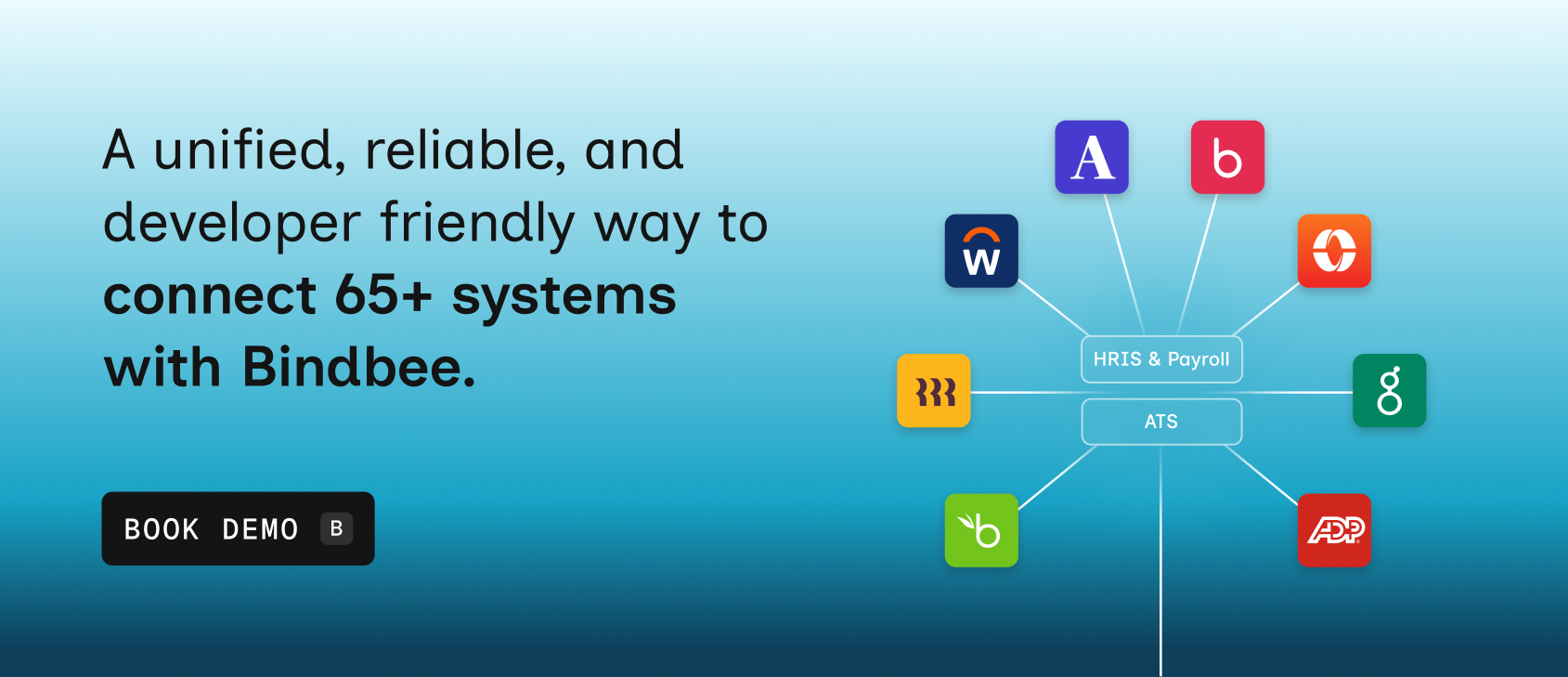
Bindbee provides a single API that connects you to 65+ HRIS, payroll, ATS, and benefits administration platforms. Instead of building each integration from scratch, you integrate once and gain access to a wide ecosystem.

Here’s how we can assist you:

  • Standardized data model across all integrations: Bindbee normalizes employee, payroll, and benefits data into a consistent schema, so you don’t have to create custom mappings for every system.
  • Real-time syncing with built-in reliability: You don’t have to deal with delayed updates or broken syncs. Bindbee provides real-time data flow with retries, monitoring, and error handling already in place, ensuring your product always reflects accurate and up-to-date information.
  • Launch integrations in minutes, not months: What typically takes 4–6 weeks per integration can be reduced to minutes with prebuilt connectors and developer-ready APIs. This speed directly impacts how quickly you can onboard customers and move deals forward.
  • Eliminate ongoing maintenance and API breakages: Vendor APIs change frequently, and maintaining integrations becomes a continuous burden. Bindbee handles updates, versioning, and edge cases behind the scenes so your engineers aren’t constantly fixing broken connections.
  • Reduce engineering workload and refocus on core product: Instead of spending time building and maintaining integrations, your engineering team can focus on core features and product innovation. This is critical when you’re scaling without expanding team size.
  • Accelerate customer onboarding and implementation timelines: Faster integrations mean faster go-lives. You can move customers from signup to value in days instead of weeks, improving both user experience and conversion rates.
  • Improve sales outcomes with broader integration coverage: When your product already supports the systems your prospects use, your sales team avoids “we don’t support that yet” conversations. This reduces friction in the sales cycle and increases your chances of closing deals.
  • Built for U.S. HR and benefits complexity: From payroll deductions and benefits eligibility to 401(k) contributions, Bindbee is designed specifically for U.S.-based workflows. You don’t need to build additional layers for compliance-heavy use cases.
  • Full visibility and control without added complexity: With centralized monitoring, logs, and dashboards, you can track every data sync and quickly resolve issues. You get full control over integrations without needing to build internal tooling from scratch.

Unlike generic integration tools, Bindbee focuses specifically on HR data. This depth ensures better accuracy and usability for real-world use cases.

Conclusion

Software integrations shape how your product performs in real-world environments. They determine whether your platform fits seamlessly into your customer’s workflow or creates friction that slows everything down.

The most effective teams don’t just build integrations; they learn from real software integration examples, apply proven strategies, and avoid approaches that don’t scale. They recognize early that integration isn’t a one-time effort but an ongoing responsibility that needs the right infrastructure.

If you’re still building and managing integrations in-house, it’s worth rethinking the approach. A unified solution like Bindbee can remove the complexity, reduce engineering effort, and help you deliver a more reliable product experience.

Book a demo with Bindbee and evaluate how quickly you can transform your integration strategy.

FAQs

1. How does CRM and accounting software integration streamline invoicing?

Integrating CRM with accounting software automates invoice generation by syncing customer data, purchase history, and payment terms. This reduces manual entry, minimizes errors, accelerates billing cycles, and ensures accurate, timely invoicing, improving cash flow and customer satisfaction.

2. What role does ERP play in EDI supplier integrations?

ERP systems centralize data, enabling seamless EDI connections with suppliers. They automate order processing, inventory updates, and invoice reconciliation, ensuring real-time accuracy, reducing manual intervention, and improving collaboration across supply chains while supporting compliance with EDI standards.

3. How does AI simplify complex integration processes?

AI analyzes data flows, identifies patterns, and automates mapping between disparate systems. It predicts errors, optimizes workflows, and reduces manual configuration, accelerating integration projects while improving accuracy and scalability across multiple platforms and business applications.

4. How does ticketing software escalate issues to incident management?

Ticketing software automatically categorizes, prioritizes, and routes issues based on severity. Escalation rules trigger notifications to incident management teams, ensuring critical problems receive timely attention, tracking resolution progress, and maintaining accountability for service continuity.

5.Why prioritize incremental implementation and testing? 

Incremental implementation reduces risk by validating small components before full deployment. Continuous testing identifies errors early, ensures system stability, improves adoption, and allows iterative adjustments, leading to smoother integrations, better performance, and fewer disruptions to business operations.

Om Anand
CEO
Bindbee
VIEW AUTHOR
BLOG_

Related blogs