Stop building BambooHR ATS's integrations from scratch. Bindbee gives you a single API to sync employee data, employment records, company information and more from BambooHR ATS—without the maintenance headaches.



























Bindbee normalizes BambooHR ATS's applicant tracking data into unified models. One integration, consistent data structure across BambooHR and every other ATS you support.
Your end-user authenticates their BambooHR account via Magic Link—our secure, drop-in auth component. They provide their BambooHR subdomain and API key, and they're connected in under 5 minutes.
We pull candidate, application, job, interview, and offer data from BambooHR's ATS and normalize everything to Bindbee's unified models. Initial sync completes in minutes, then automatic incremental syncs keep your data fresh.
One REST API gives you access to BambooHR ATS data—and the same endpoints work for Greenhouse, Lever, Ashby, Teamtailor, and every other ATS Bindbee supports.

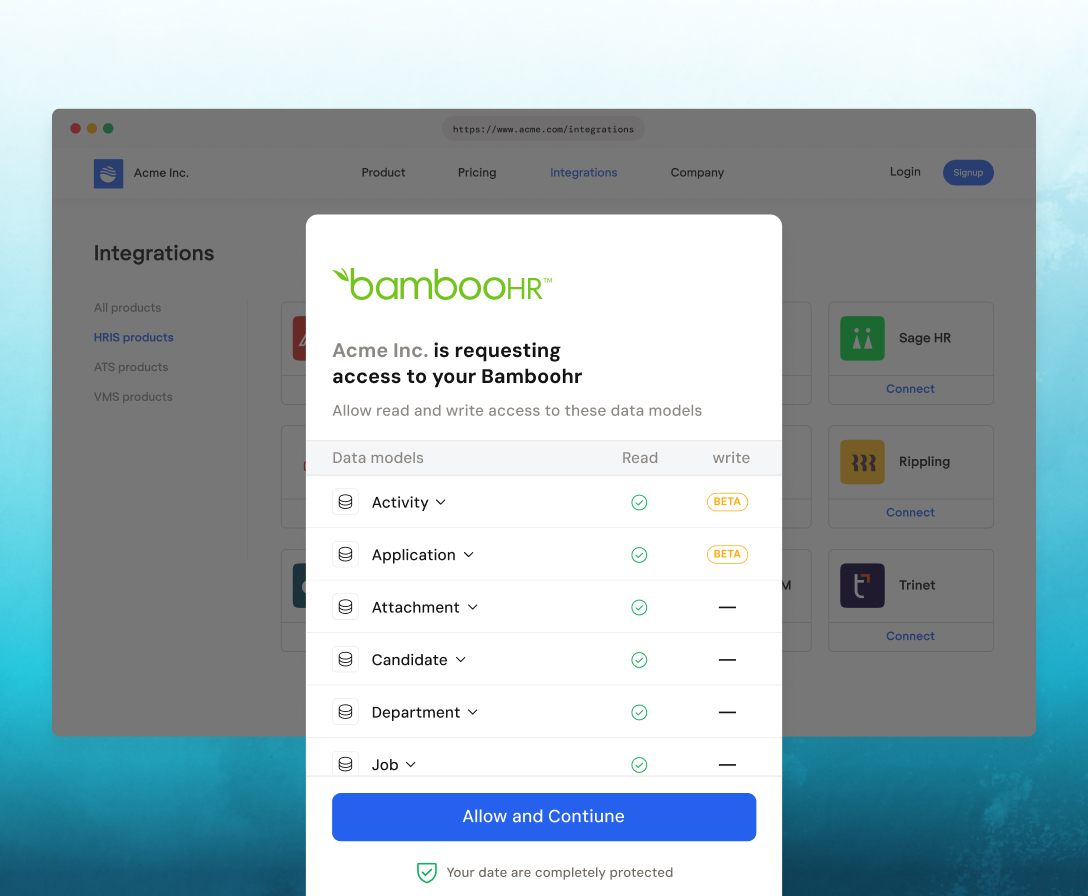
Customers authenticate effortlessly via Magic Link, with an embeddable SDK that enables seamless, in-app connections.
Most customers complete setup in under 10 minutes. Your end-user authenticates via Magic Link with their BambooHR subdomain and API key, and the initial data sync begins immediately.
Yes. Enable include_custom_fields=true in your API requests. Custom fields appear in the custom_fields object with their original field names from BambooHR.
Yes. BambooHR functions as both an HRIS and an ATS. With Bindbee, you can set up separate connectors for HRIS and ATS data, or access both through a single customer connection depending on your use case.
Bindbee's unified ATS models for BambooHR include Candidates, Applications, Jobs, Job Interview Stages, Scheduled Interviews, Offers, Scorecards, Activities, Departments, Offices, and Users. Each model includes the fields listed in the data coverage section above.
Yes. Bindbee supports creating candidates, applications, activities, offers, jobs, and departments in BambooHR ATS. Use the same REST API with POST requests to push data back.
Bindbee uses cursor-based pagination. Each response includes a cursor value—pass it in your next request to get the next page. Use page_size (max 100) to control results per page.
Yes. Configure webhooks to receive notifications when connector syncs complete, candidate data changes, or sync errors occur. See the webhooks documentation for setup details.
After the initial sync, Bindbee runs incremental syncs automatically. You can also trigger manual syncs via the API or from your Bindbee dashboard. Use the modified_after query parameter to fetch only recently changed records.
Bindbee caches synced data, so your API calls continue working even during BambooHR outages. We retry failed syncs automatically and notify you of persistent issues via webhooks.
Yes. BambooHR ATS allows companies to customize their interview pipeline stages. Bindbee syncs all custom stages through the Job Interview Stage model, preserving the stage order and associated job references.





We use cookies to improve your experience on our site. By using our site, you are agreeing to the collection and use of data as described in our privacy policy.